This is best Fabric, Power BI, SQL and AI community event. How do we know? The last event sold out! Save €200 with code FABCMTY200.
Register nowA new Data Days event is coming soon! This time we’re going bigger than ever. Fabric, Power BI, SQL, AI and more. Don't miss out.
HI All,
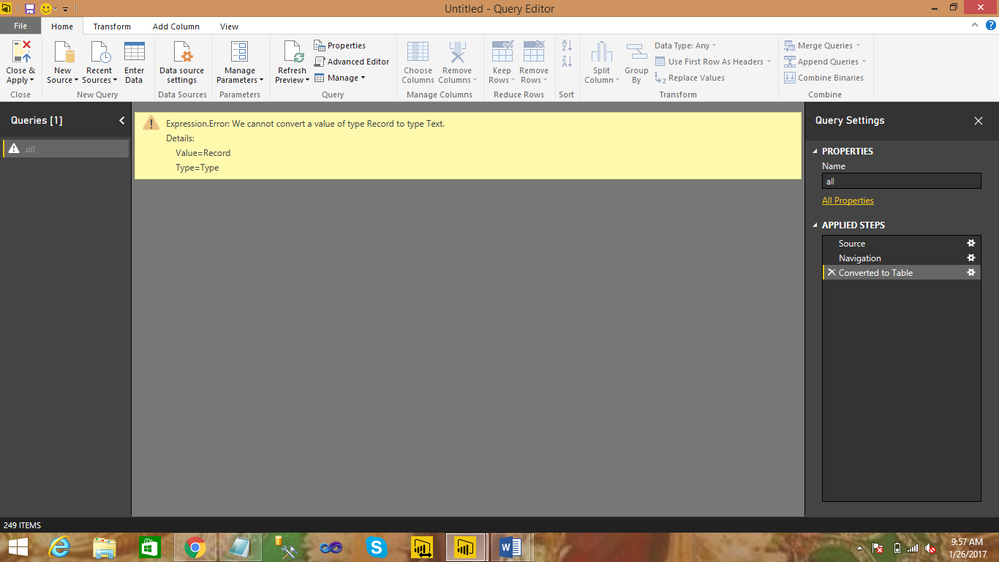
When selecting source as rest api data,i get response able to see the output,but converting into a table getting the
following error .could please help any one how do you resolve the following error.
PUBLIC API LINK:http://services.groupkt.com/country/get/all
ErrorName:
Regards,
J Pavan
8801262055
Solved! Go to Solution.
Hi @pavan1,
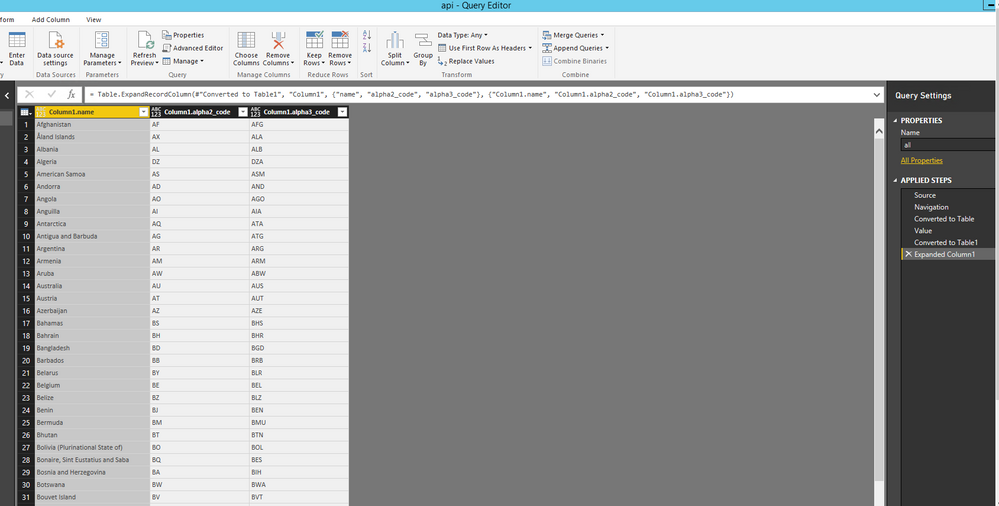
Do you want to get the following query in Power BI Desktop? If so, please check the attached PBIX file to get more details about how to extract data from your data source.
Thanks,
Lydia Zhang
Hi @pavan1,
Do you want to get the following query in Power BI Desktop? If so, please check the attached PBIX file to get more details about how to extract data from your data source.
Thanks,
Lydia Zhang
Lydia, this is neat, but how did you create this PBIX file? I see that the Data Source settings contain a JSON object, but in my PBIX files they all use SQL tables. Can you post the steps for how to source a JSON query in Power BI?
Sign up to receive a private message when registration opens and key events begin.
If you have recently started exploring Fabric, we'd love to hear how it's going. Your feedback can help with product improvements.
| User | Count |
|---|---|
| 3 | |
| 1 | |
| 1 | |
| 1 | |
| 1 |