Join us at FabCon Atlanta from March 16 - 20, 2026, for the ultimate Fabric, Power BI, AI and SQL community-led event. Save $200 with code FABCOMM.
Register now!The Power BI Data Visualization World Championships is back! Get ahead of the game and start preparing now! Learn more
HI All,
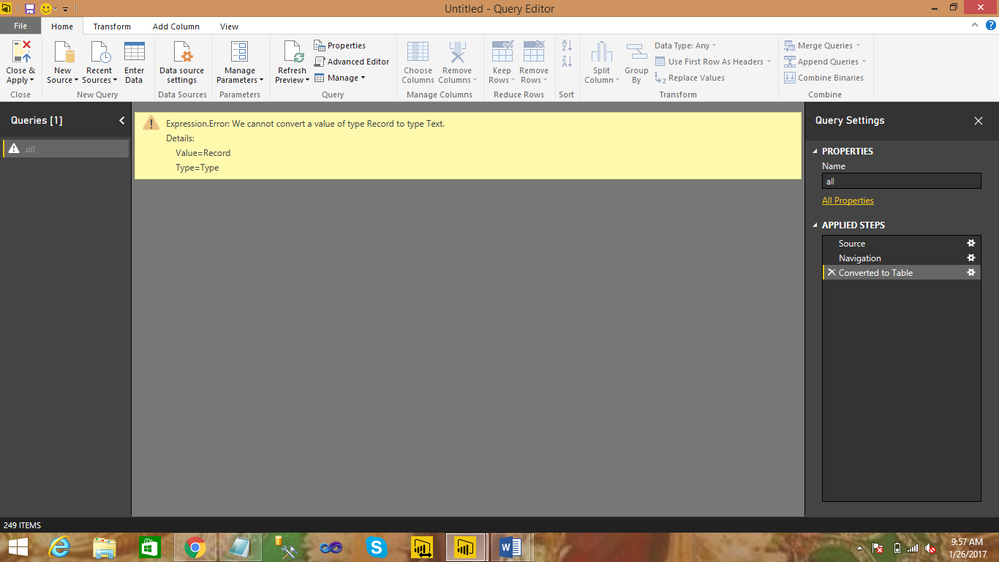
When selecting source as rest api data,i get response able to see the output,but converting into a table getting the
following error .could please help any one how do you resolve the following error.
PUBLIC API LINK:http://services.groupkt.com/country/get/all
ErrorName:
Regards,
J Pavan
8801262055
Solved! Go to Solution.
Hi @pavan1,
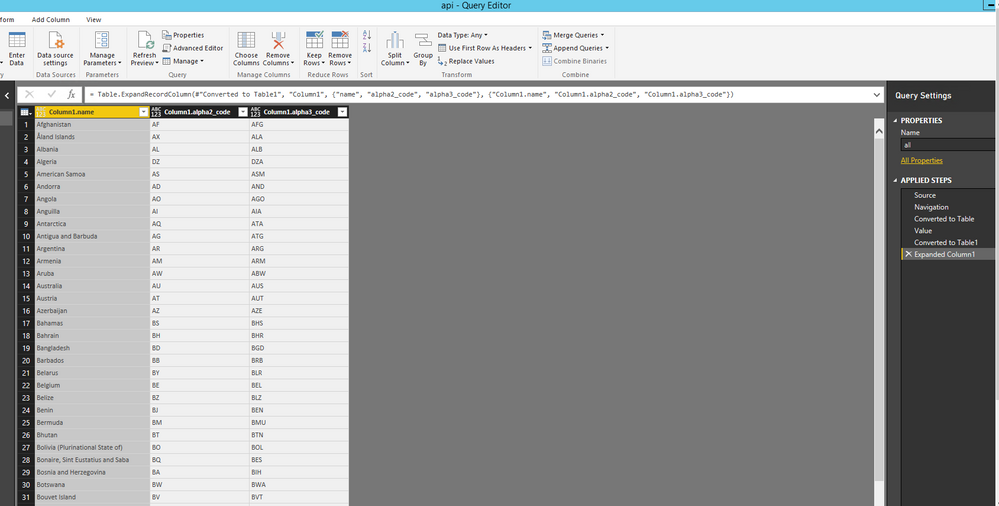
Do you want to get the following query in Power BI Desktop? If so, please check the attached PBIX file to get more details about how to extract data from your data source.
Thanks,
Lydia Zhang
Hi @pavan1,
Do you want to get the following query in Power BI Desktop? If so, please check the attached PBIX file to get more details about how to extract data from your data source.
Thanks,
Lydia Zhang
Lydia, this is neat, but how did you create this PBIX file? I see that the Data Source settings contain a JSON object, but in my PBIX files they all use SQL tables. Can you post the steps for how to source a JSON query in Power BI?
The Power BI Data Visualization World Championships is back! Get ahead of the game and start preparing now!
| User | Count |
|---|---|
| 3 | |
| 2 | |
| 1 | |
| 1 | |
| 1 |
| User | Count |
|---|---|
| 11 | |
| 7 | |
| 4 | |
| 3 | |
| 3 |