Join us at FabCon Atlanta from March 16 - 20, 2026, for the ultimate Fabric, Power BI, AI and SQL community-led event. Save $200 with code FABCOMM.
Register now!The Power BI Data Visualization World Championships is back! Get ahead of the game and start preparing now! Learn more
Hi, I'm having difficulty setting up Power BI Embedded sample app for a dashboard. I used the sample app to upload the PBIX file, which has only two tables imported from Azure SQL using Direct Query. I provisioned the Workspace Collection and created workspace, and updated the web.config with relevant information. When I run the Power BI embedded sample web application, it shows the dashboard and correct titles for the visuals. However, it doesn't render the visuals (technical details show 401 error). I have specified the connection string using the sample app. When I publish the PBIX file to powerbi.com, I need to manually enter the credentials when viewing the dashboard. Has anyone faced a similar problem? Please help.
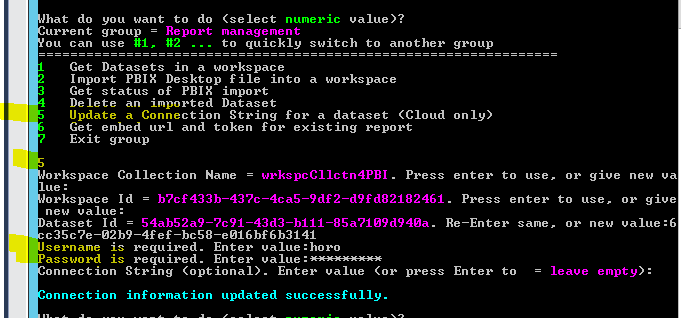
Did you configure the credential for the dataset that using direct query in Power BI Embedded?
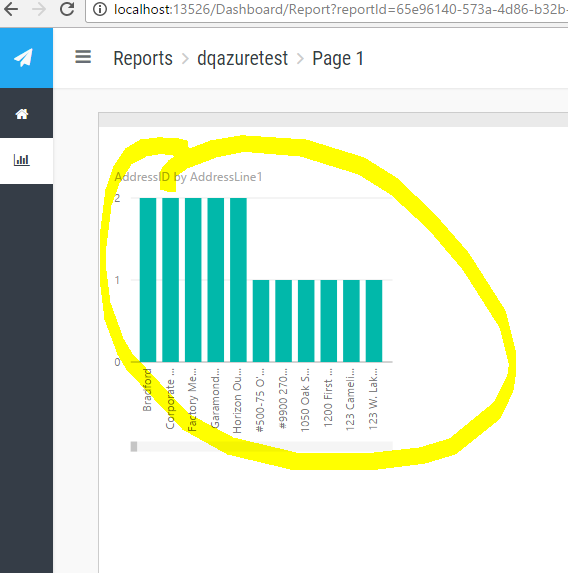
The visual is rendered with data after setting the username and password.
The Power BI Data Visualization World Championships is back! Get ahead of the game and start preparing now!
| User | Count |
|---|---|
| 4 | |
| 3 | |
| 2 | |
| 1 | |
| 1 |
| User | Count |
|---|---|
| 4 | |
| 4 | |
| 4 | |
| 3 | |
| 3 |