Get certified for free when you join Fabric Data Days 2026 and dive into Fabric, Power BI, SQL, AI, and other essential data skills.
Join nowData Days is here! Join us now for 60+ days of learning, challenges, and connection. Learn more
I am using Power BI Javascript library to embed 10+ visuals from one report (but different tabs) to my web application. Although it works fine, it seems to take a long time to load all visuals. I understand that's 10+ iframes loading the same report 10+ times.
Is there anyway to reduce the load time, considering it is the same report? I tried the Phased Loading API, but it didn't help much. Or maybe I just didn't use it correctly and appreicate any sample codes.
Thanks in advance for any advice.
Could you please explain a bit for why it need to embed multiple visuals seperately?
You should be able to load the whole report by hiding the un-wanted Visuals in one iframe.
Check the Embed config-> Custom Layout for how to configure the Visual property:
Custom Layouts in Power BI Embedded
Regards,
Michael
Thanks for you reply, Michael.
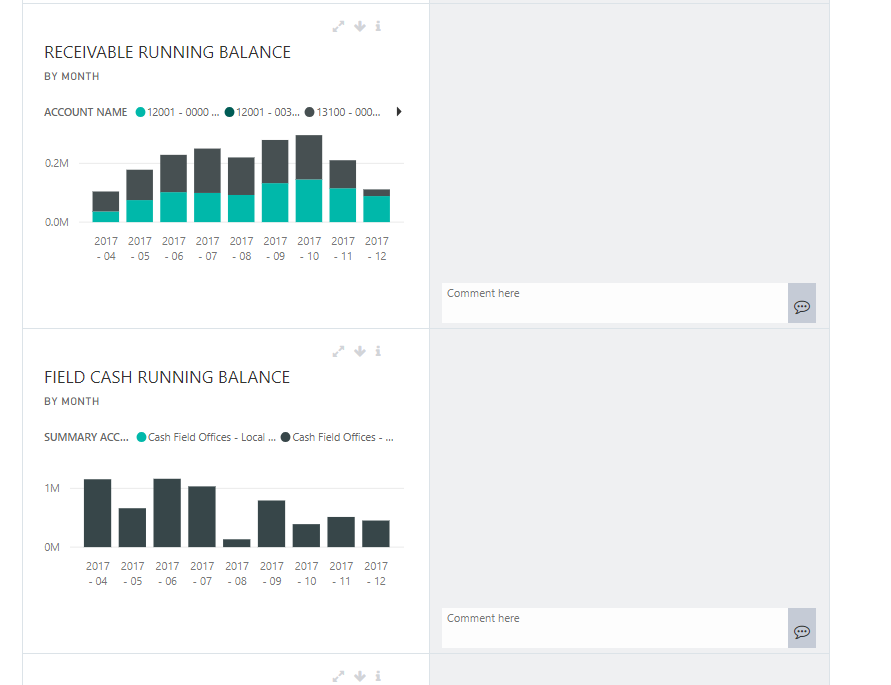
I am developing an interface for users to comment on each visual. Below screenshot is an example. You don't see it here, but at the top of the page are a few custom drop downs that allow users to dynamically apply a few common filters to all visuals, using Power BI JavaScript. So basically I want to be able to put each visual into separate DOM element.
I also tried embedding tiles instead of visuals, but we can't apply multiple filters on tiles programmatically. Also the performance of embedding 10+ tiles isn't great either.
Don't miss out on Data Days, June 15 through August 7. Learn Fabric, Power BI, SQL, AI and more.
Check out the May 2026 Power BI update to learn about new features.
| User | Count |
|---|---|
| 2 | |
| 2 | |
| 1 | |
| 1 | |
| 1 |