cancel
Showing results for 
Search instead for 
Did you mean: 

Next up in the FabCon + SQLCon recap series: The roadmap for Microsoft SQL and Maximizing Developer experiences in Fabric. All sessions are available on-demand after the live show. Register now

Reply
PowerBIExplorer
Frequent Visitor

Journey Chart Visual

Hi, 


A link to the custom visual for a journey chart:


https://appsource.microsoft.com/en-us/product/power-bi-visuals/WA104380989?tab=Overview


I'm trying to build a journey chart visual using the data below:


help2.PNG


When I try using the visual, nothing shows up. The order should be: 

Service organization --> service category --> service --> solution --> application


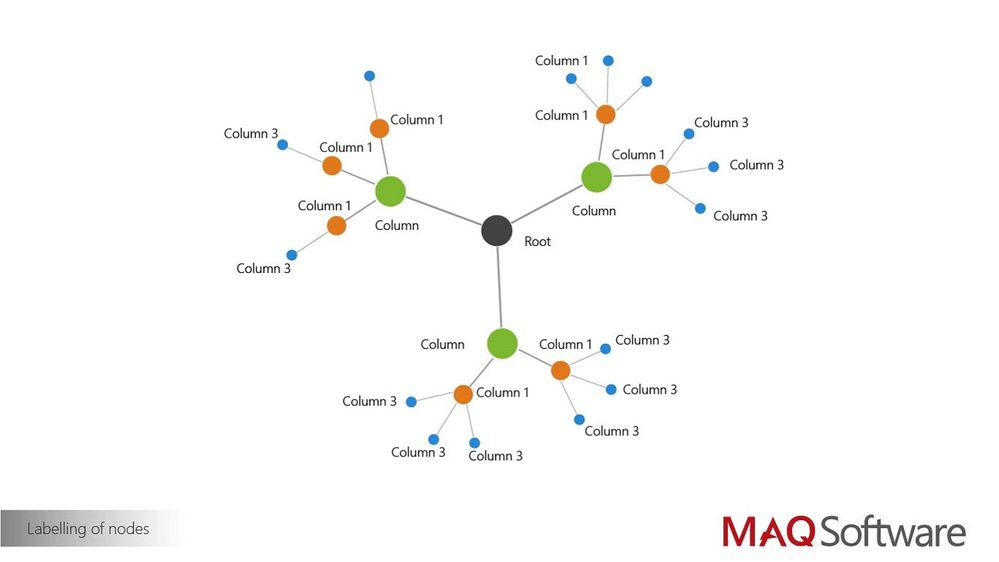
it should look something like this:
labellingnodesJourneyChart.jpg

where the root would be the service organization, column as service category, column 1 as service, column 2 as solution, and column 3 as application.


I don't have any measure data, but is that something I need in order to use this visual? If so, are there any other custom visuals out there that are better suited for what I'm trying to achieve? 


2 REPLIES 2
amitkumar82
Regular Visitor

Hi,


You need measure data. without it the graph won't populate.

v-viig
Community Champion
Community Champion

Since this custom visual is a third party custom visual we would recommend to reach out its developer to find out more: https://maqsoftware.com/expertise/powerbi


Ignat Vilesov,

Software Engineer


Microsoft Power BI Custom Visuals

pbicvsupport@microsoft.com

Helpful resources

Announcements
New to Fabric survey Carousel

New to Fabric Survey

If you have recently started exploring Fabric, we'd love to hear how it's going. Your feedback can help with product improvements.

Power BI DataViz World Championships carousel

Power BI DataViz World Championships - June 2026

A new Power BI DataViz World Championship is coming this June! Don't miss out on submitting your entry.

March Power BI Update Carousel

Power BI Community Update - March 2026

Check out the March 2026 Power BI update to learn about new features.