Don't miss your chance to take the Fabric Data Engineer (DP-600) exam for FREE! Find out how by attending the DP-600 session on April 23rd (pacific time), live or on-demand.
Learn moreNext up in the FabCon + SQLCon recap series: The roadmap for Microsoft SQL and Maximizing Developer experiences in Fabric. All sessions are available on-demand after the live show. Register now
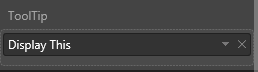
Purpose: Control what is displayed in the tool tip
Background: I am developing a custom visual. I would like to be able to control the tool tip for this visual. In my capabilities.json file I defined a tool tip under dataRoles and dataviewmappings.
What is the next step? I want my tooltip to only display values that the user drags into ToolTip. Does anyone have tips into updating the visual.ts file?
capabilities.json code:
"displayName": "ToolTip",
"name": "ToolTip",
"kind": "Measure"
...
"ToolTip": { "max": 3 }
Hello @slc7456,
You need to parse values from the data view object and TooltipService to show/hide tooltips.
You might use these as examples:
Ignat Vilesov,
Software Engineer
Microsoft Power BI Custom Visuals
If you have recently started exploring Fabric, we'd love to hear how it's going. Your feedback can help with product improvements.
A new Power BI DataViz World Championship is coming this June! Don't miss out on submitting your entry.
| User | Count |
|---|---|
| 1 | |
| 1 | |
| 1 | |
| 1 | |
| 1 |