This time we’re going bigger than ever. Fabric, Power BI, SQL, AI and more. We're covering it all. You won't want to miss it.
Learn moreDid you hear? There's a new SQL AI Developer certification (DP-800). Start preparing now and be one of the first to get certified. Register now
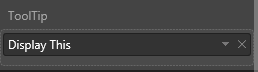
Purpose: Control what is displayed in the tool tip
Background: I am developing a custom visual. I would like to be able to control the tool tip for this visual. In my capabilities.json file I defined a tool tip under dataRoles and dataviewmappings.
What is the next step? I want my tooltip to only display values that the user drags into ToolTip. Does anyone have tips into updating the visual.ts file?
capabilities.json code:
"displayName": "ToolTip",
"name": "ToolTip",
"kind": "Measure"
...
"ToolTip": { "max": 3 }
Hello @slc7456,
You need to parse values from the data view object and TooltipService to show/hide tooltips.
You might use these as examples:
Ignat Vilesov,
Software Engineer
Microsoft Power BI Custom Visuals
Check out the April 2026 Power BI update to learn about new features.
If you have recently started exploring Fabric, we'd love to hear how it's going. Your feedback can help with product improvements.
A new Power BI DataViz World Championship is coming this June! Don't miss out on submitting your entry.
| User | Count |
|---|---|
| 4 | |
| 2 | |
| 1 | |
| 1 | |
| 1 |