Learn from the best! Meet the four finalists headed to the FINALS of the Power BI Dataviz World Championships! Register now
Hello,
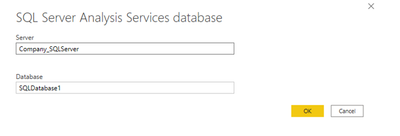
Our ERP provider set up a custom model for us in PowerBI and I want to add more data to it. They broke it up into two databses, SQLDatabase1 and SQLDatabase2, coming from the same server. How do I combine the data into one model?
Thank you
Solved! Go to Solution.
Current power bi not support connect to multiple sql databases with directquery mode.
For detail information you can refer to below link:
Use DirectQuery in Power BI Desktop
You can try to use import mode and get the tables using dynamic parameters. Hope this link can help you:
Current power bi not support connect to multiple sql databases with directquery mode.
For detail information you can refer to below link:
Use DirectQuery in Power BI Desktop
You can try to use import mode and get the tables using dynamic parameters. Hope this link can help you:
A new Power BI DataViz World Championship is coming this June! Don't miss out on submitting your entry.
Share feedback directly with Fabric product managers, participate in targeted research studies and influence the Fabric roadmap.
| User | Count |
|---|---|
| 2 | |
| 2 | |
| 1 | |
| 1 | |
| 1 |
| User | Count |
|---|---|
| 4 | |
| 2 | |
| 2 | |
| 2 | |
| 2 |