We've captured the moments from FabCon & SQLCon that everyone is talking about, and we are bringing them to the community, live and on-demand. Starts on April 14th. Register now
I have the following data:-
table name
program code
patient count
date
and I am trying to create a report in the following format
tablename program code 1/1/2019 (date) 2/2/2019 (date) --> Headers
abc(table_name) xyz (program code) 100 (patient count ) 200(patient count) ---> Values
I am unable to display the program code as a differentcolumn when I use matrix, since values for only one row is displayed.
Solved! Go to Solution.
Hi @Anonymous,
tablename program code 1/1/2019 (date) 2/2/2019 (date) --> Headers
abc(table_name) xyz (program code) 100 (patient count ) 200(patient count) ---> Values
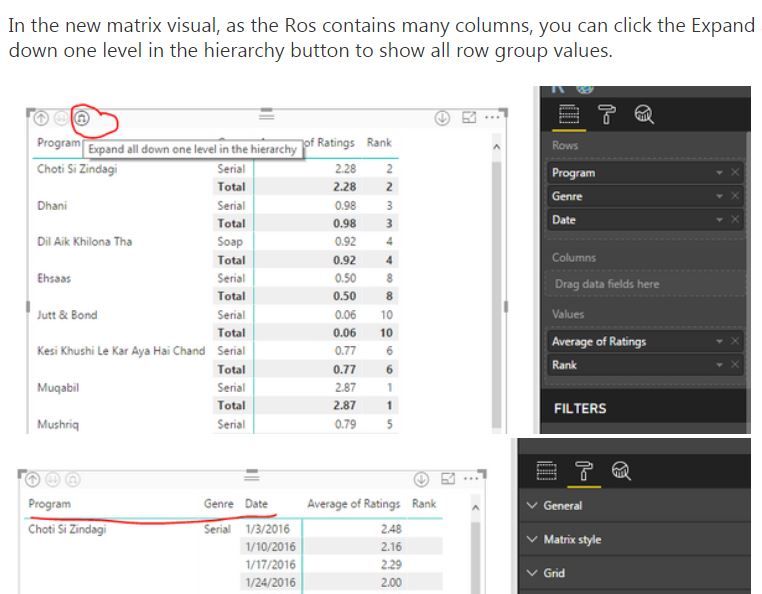
To achieve above output, you just need to place [tablename] and [program code] into Matrix row, place [date] into columns and place [patient count] into values section.
I cannot understand what you said "I am unable to display the program code as a differentcolumn when I use matrix, since values for only one row is displayed.", please illustrate with sample data.
Regards,
Yuliana Gu
I had to do this to make it work:-
If you have recently started exploring Fabric, we'd love to hear how it's going. Your feedback can help with product improvements.
A new Power BI DataViz World Championship is coming this June! Don't miss out on submitting your entry.
| User | Count |
|---|---|
| 57 | |
| 40 | |
| 36 | |
| 18 | |
| 18 |
| User | Count |
|---|---|
| 70 | |
| 67 | |
| 38 | |
| 34 | |
| 23 |