This is best Fabric, Power BI, SQL and AI community event. How do we know? The last event sold out! Save €200 with code FABCMTY200.
Register nowJuly 28 - August 9 | Final Round of the Power BI Dataviz World Championships. This is your chance. Learn more
hello
I have converted a shape map file, representing my organization's districts area of activity, to topojson format .
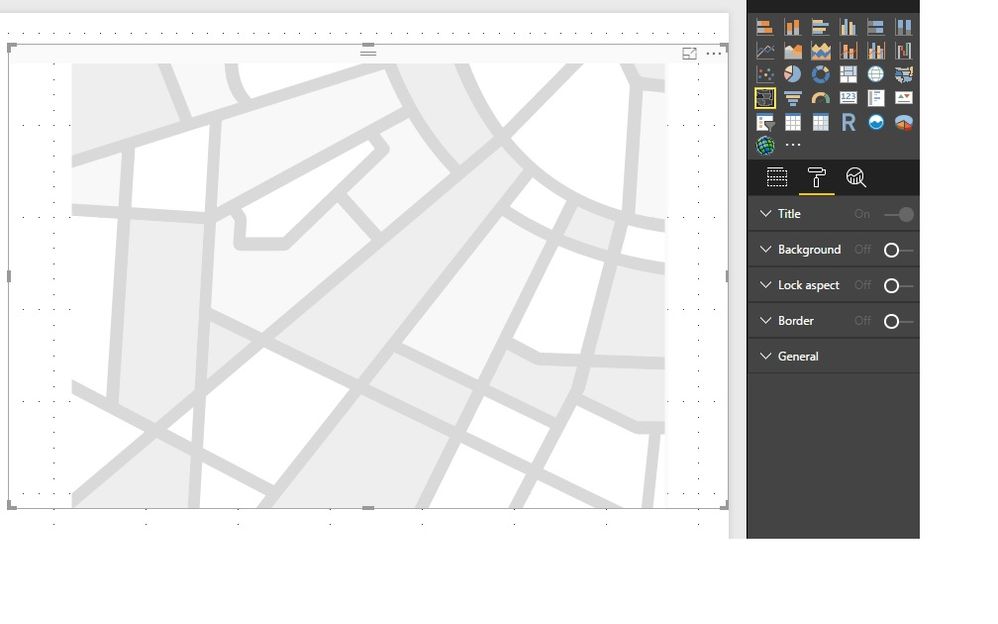
However when I want to use it I see no option of "add map"(see the attached snapshot) like I saw in the documantation I read.
Another question concerens the analytic data I want to reflect on the map.
Am I supposed to create a new table that has both analytic data of each district + the geographic data from the json file ?
Do they have to share a fields i.e the district code?
Thanks
Erez
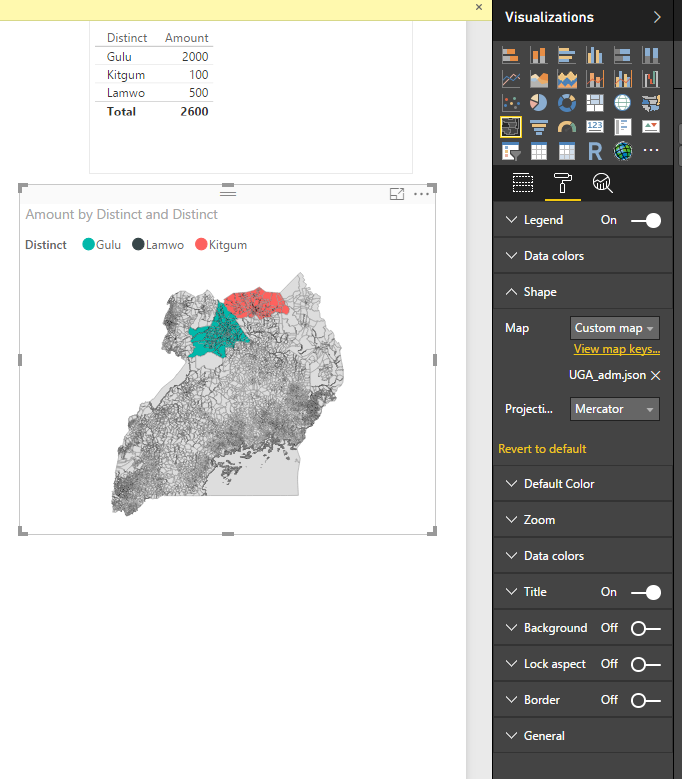
You need to put a data field into Location first. Then you can edit the map under Shape.
Regards,
Thanks Simon_Hou-MSFT .
I did succeed to manage the visual.
However when I import a personal topojson file I don't see the map correctly.
I've used this link http://mapshaper.org/ for the conversion of my personal shape file to topojson format.
But this resulted a bad converstion.
Someone had a similar problem but he used to arc map which I don't have.
http://community.powerbi.com/t5/Desktop/Problem-using-custom-shape-map/td-p/55795
He configued the conversion with a "WGS 84 / EPSG 4326 " option . But I don't know if this can we implied in mapshaper.
Do you have an idea how can I convert the shape file correctly to topojson ?
Thanks
Erez
Bump / Interested also...
Forrest
Proud to give back to the community!
Thank You!
Join us in Barcelona for FabCon and SQLCon, the Fabric, Power BI, SQL, and AI community event. Save €200 with code FABCMTY200.
If you love stickers, then you will definitely want to check out our community sticker challenge, Barcelona edition!
Check out the July 2026 Power BI update to learn about new features.
| User | Count |
|---|---|
| 25 | |
| 23 | |
| 19 | |
| 17 | |
| 14 |
| User | Count |
|---|---|
| 24 | |
| 20 | |
| 20 | |
| 19 | |
| 19 |