
Join us at FabCon Atlanta from March 16 - 20, 2026, for the ultimate Fabric, Power BI, AI and SQL community-led event. Save $200 with code FABCOMM.
Register now!The Power BI Data Visualization World Championships is back! Get ahead of the game and start preparing now! Learn more
Hi I have a few tables with English A-E data and Maths A-E data how do I make these two tables go on 1 visualization graph and 1 slicer sort A-E
Solved! Go to Solution.
Hi @kettsn ,
According your describtion,refer the below:
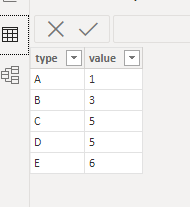
TableA;
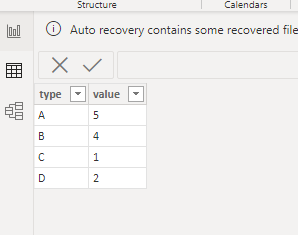
TableB:
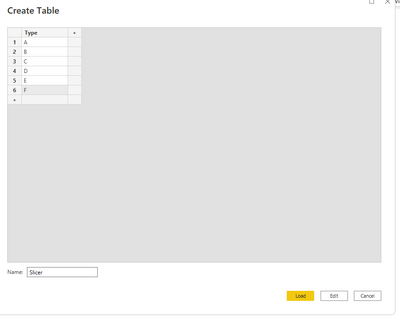
First ,create slicer table:
Then create another table base on tableA and table B:
TableC =
UNION (
SELECTCOLUMNS (
TableA,
"Tpye", TableA[type],
"Table", "TableA",
"Value", TableA[value]
),
SELECTCOLUMNS (
TableB,
"Tpye", TableB[type],
"Table", "TableB",
"Value", TableB[value]
)
)
Relationship:
Final output:
Did I answer your question? Mark my post as a solution!
Best Regards
Lucien
Hi,
Share some data and show the expected result.
Hi @kettsn ,
According your describtion,refer the below:
TableA;
TableB:
First ,create slicer table:
Then create another table base on tableA and table B:
TableC =
UNION (
SELECTCOLUMNS (
TableA,
"Tpye", TableA[type],
"Table", "TableA",
"Value", TableA[value]
),
SELECTCOLUMNS (
TableB,
"Tpye", TableB[type],
"Table", "TableB",
"Value", TableB[value]
)
)
Relationship:
Final output:
Did I answer your question? Mark my post as a solution!
Best Regards
Lucien
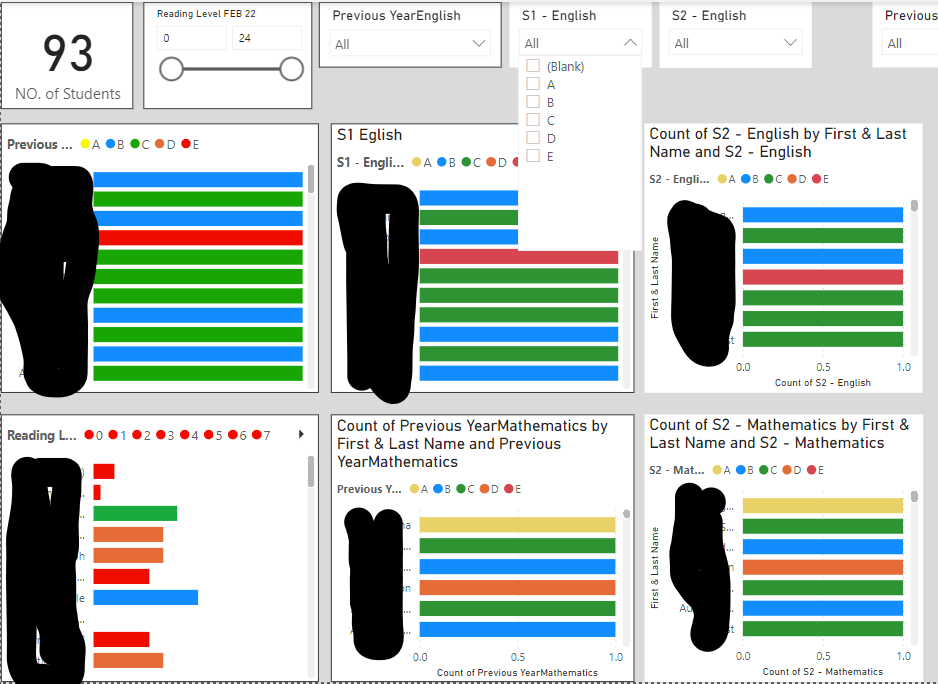
Hi I tried that solution but it still didnt use 1 slicer to slicer all my graphs. See image below for what I am trying to achieve. I dont want a slicer for each graph. I want to be able to select options base on A-E is this possible
The Power BI Data Visualization World Championships is back! Get ahead of the game and start preparing now!
Check out the November 2025 Power BI update to learn about new features.
| User | Count |
|---|---|
| 59 | |
| 43 | |
| 42 | |
| 23 | |
| 17 |
| User | Count |
|---|---|
| 190 | |
| 122 | |
| 96 | |
| 66 | |
| 47 |