@Anonymous
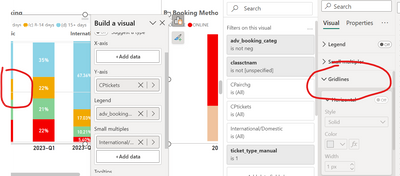
Here's a workaround to hide gridlines for a 100% stacked bar chart in Power BI:
Create a Blank Background Image:
- Design a blank image (e.g., a white or transparent rectangle) in an image editing software like Adobe Photoshop, GIMP, or even using PowerPoint or Word.
- Ensure that the image dimensions match your Power BI report page dimensions.
Import the Image into Power BI:
- Go to the "Home" tab in Power BI and select "Enter Data."
- Create a new table with a single column that contains a unique identifier for each row, like numbers from 1 to N, where N is the number of rows and columns in your 100% stacked bar chart.
Create a Relationship:
- Go to the "Model" view in Power BI.
- Create a relationship between the table you just created and the table that contains the data for your 100% stacked bar chart. The relationship should connect the unique identifier in the new table to a suitable field in your data table.
Add a Card Visualization:
- On your report page, add a "Card" visualization.
- Drag the unique identifier field from the table you created in step 2 into the "Values" section of the Card visualization.
Set the Background Image:
- In the Card visualization settings, go to the "Format" tab.
- Under "Background Image," click on the dropdown and select the image you created in step 1.
Adjust Card Visualization Formatting:
- Format the Card visualization to match the size and position of your 100% stacked bar chart.
Place Your 100% Stacked Bar Chart:
- Add your 100% stacked bar chart on top of the Card visualization with the background image.
- Ensure that the chart covers the entire area of the Card visualization.
Format the Chart:
- Format the 100% stacked bar chart by removing any borders, lines, or gridlines.
By using this workaround, you essentially cover the gridlines with a blank background image. This gives the appearance of gridline removal. Make sure to adjust the positioning and sizing of the Card visualization and the 100% stacked bar chart to achieve the desired effect.