Get certified for free when you join Fabric Data Days 2026 and dive into Fabric, Power BI, SQL, AI, and other essential data skills.
Join nowJuly 28 - August 9 | Final Round of the Power BI Dataviz World Championships. This is your chance. Learn more
Hello
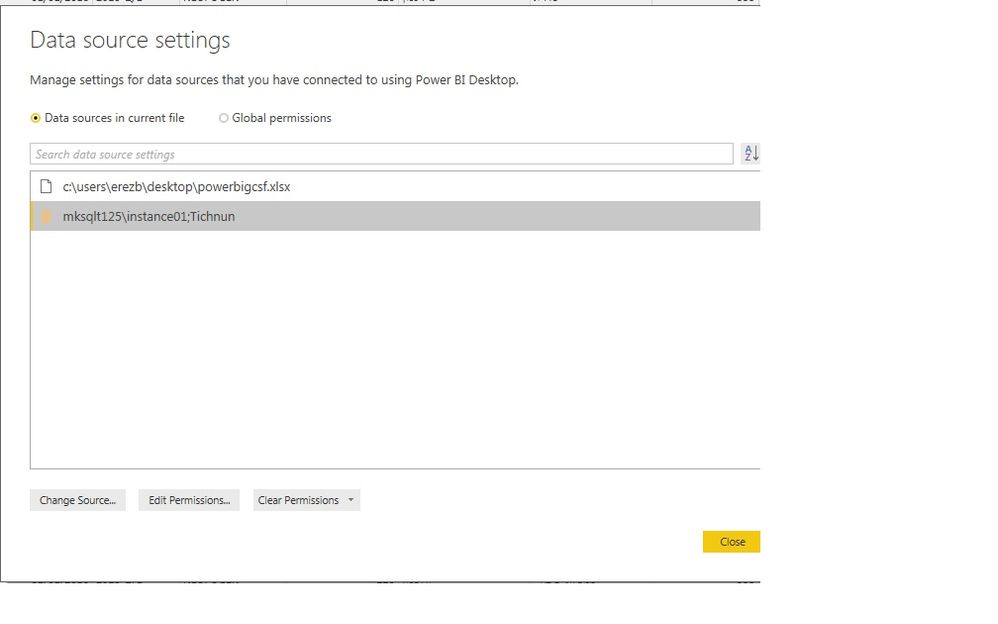
Why Can't I see the table name in sql data source.
As you can see when connecting to excel Datasource I see full path.
In the sql connection I get only the DB name (tichnun).
It's helpful to know the table name when changes are needed in the table creation process inside Sql.
Thanks
Erez
Solved! Go to Solution.
No, that's the name of the query, and the name of the resulting table in your Power BI data model. The name of the table is found in the navigation step of the query. The query steps are below the query name on the right hand side.
https://powerbi.microsoft.com/en-us/documentation/powerbi-desktop-query-overview/
Individual queries may select from one or more tables. The data source/connection isn't a single table; it's the database. If you want to see navigation to a specific table you'll need to look at the query that uses it.
hi
again
I have entered the query editor. In the right side I see "name" ' but this field can be edited so it doesn't correspont neccessarily
to the table name from where the data was imported.
Have you meant this field or is there another location when I can see the table name?
Thanks again
Erez
No, that's the name of the query, and the name of the resulting table in your Power BI data model. The name of the table is found in the navigation step of the query. The query steps are below the query name on the right hand side.
https://powerbi.microsoft.com/en-us/documentation/powerbi-desktop-query-overview/
Thank you !
Or to put it another way, a data source is just a connection to a database. It isn't the data itself. It's the phone line, not the conversation.
If you love stickers, then you will definitely want to check out our community sticker challenge, Barcelona edition!
Check out the July 2026 Power BI update to learn about new features.
| User | Count |
|---|---|
| 28 | |
| 28 | |
| 20 | |
| 19 | |
| 19 |
| User | Count |
|---|---|
| 35 | |
| 26 | |
| 19 | |
| 18 | |
| 17 |