We've captured the moments from FabCon & SQLCon that everyone is talking about, and we are bringing them to the community, live and on-demand. Starts on April 14th. Register now
I'm not sure if this is possible or not. I have a local folder configured as a data source in my pbix file and would like to use an attribute in that folder in my report. Specifically, I'd like to be able to display when the folder was last modified. Is this even possible?
You normally have this information in the Power Query editor when you import data from a folder: http://www.girlswithpowertools.com/2014/05/inventory/.
The article shows Power Query in Excel but it is exactly the same behavior in Power BI Desktop.
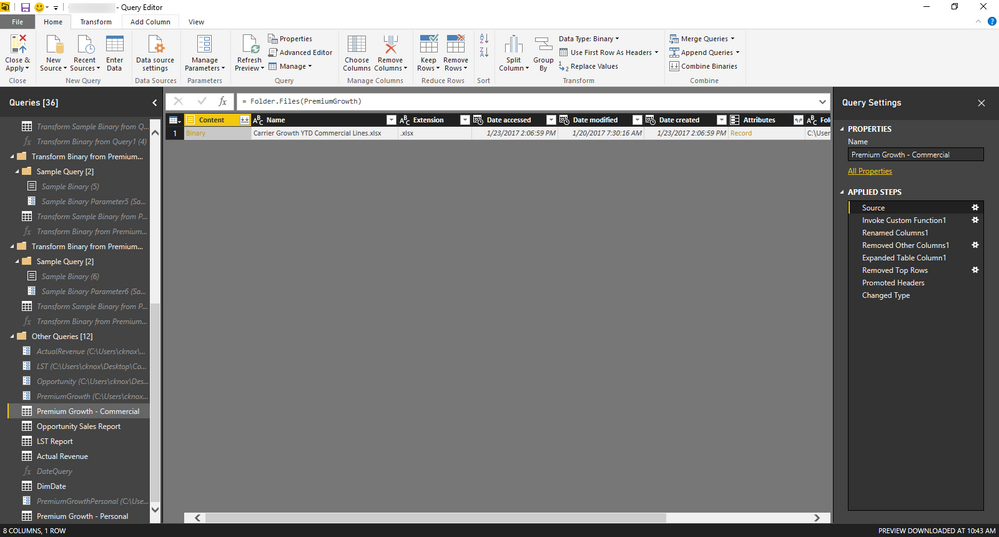
I do see it when I navigate to source, but once the binaries are combined, the only attribute that remains is the name of the workbook in that folder. How can I keep that column?
I'd copy the query and only keep the "source" step. You'd have your current table with the data you want to analyse + a table which indicates the lastmodified date.
There might be better approaches (maybe with Power Query/M..) which I am not aware of 🙂
If you have recently started exploring Fabric, we'd love to hear how it's going. Your feedback can help with product improvements.
A new Power BI DataViz World Championship is coming this June! Don't miss out on submitting your entry.
Share feedback directly with Fabric product managers, participate in targeted research studies and influence the Fabric roadmap.
| User | Count |
|---|---|
| 54 | |
| 39 | |
| 34 | |
| 18 | |
| 18 |
| User | Count |
|---|---|
| 67 | |
| 62 | |
| 38 | |
| 34 | |
| 22 |