Join us at FabCon Atlanta from March 16 - 20, 2026, for the ultimate Fabric, Power BI, AI and SQL community-led event. Save $200 with code FABCOMM.
Register now!Vote for your favorite vizzies from the Power BI Dataviz World Championship submissions. Vote now!
Hello,
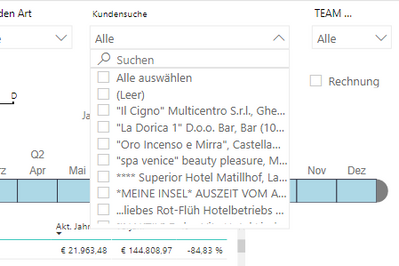
I would like to show in my dropdown filter only "active" values.
I have a general filter for alle pages active and now I would show in the dropdown menu only active values.
So for example - I have a general filter active on the data of one single sales agent.
And the dropdown filter for the clients should then only show the active clients of this agent.
So that this dropdown only shows me the clients of this sales agent.
Is this somehow possible?
Thank you
V.
Solved! Go to Solution.
Hi @v_franz ,
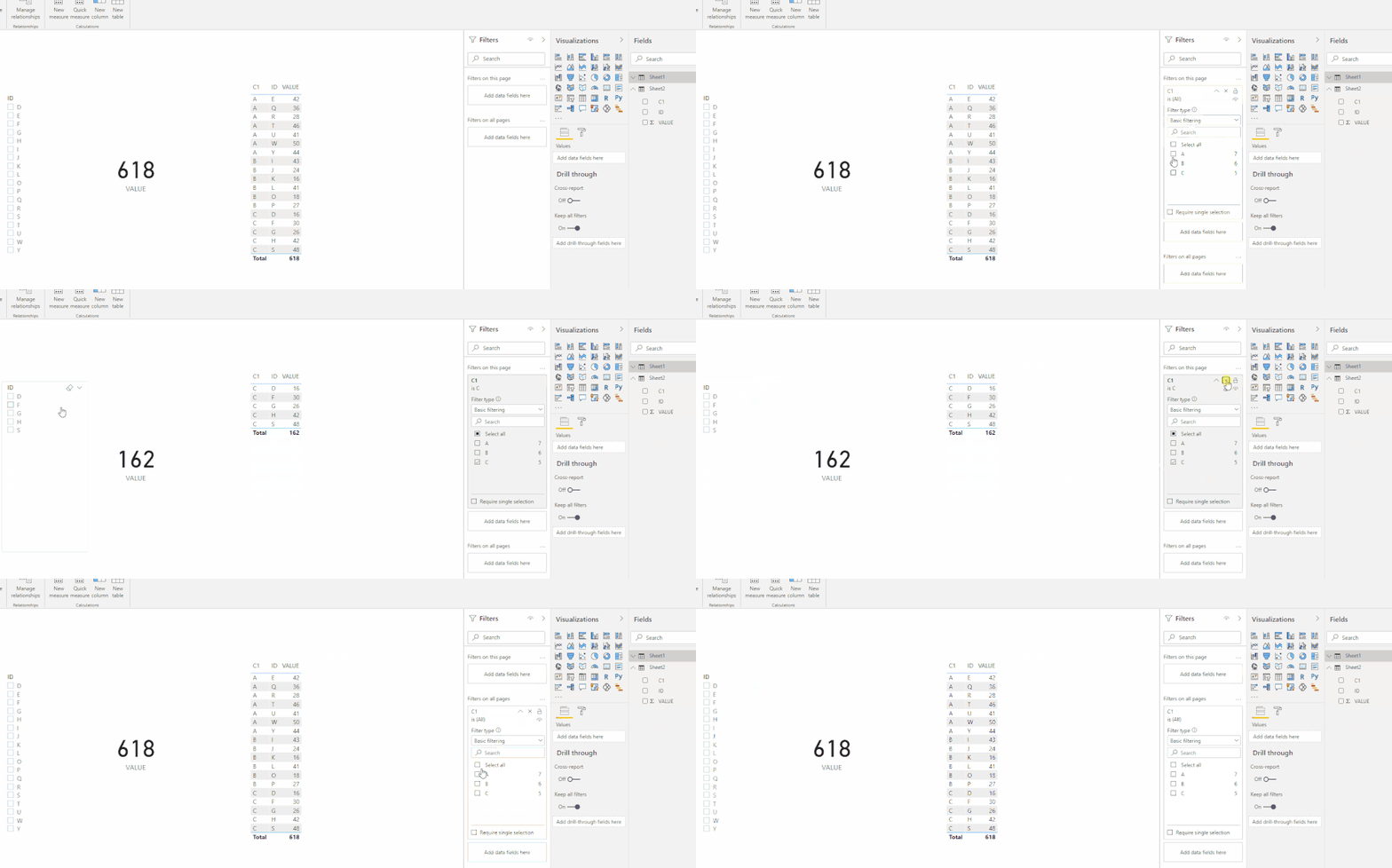
You can drag your agent field to the filter on this page or the filter on all pages. I did a test as follows.
Hope that's what you were looking for.
Best Regards,
Yuna
If this post helps, then please consider Accept it as the solution to help the other members find it more quickly.
Hi @v_franz ,
You can drag your agent field to the filter on this page or the filter on all pages. I did a test as follows.
Hope that's what you were looking for.
Best Regards,
Yuna
If this post helps, then please consider Accept it as the solution to help the other members find it more quickly.
Hello,
thank you. Maybe my explanation was not so clear.
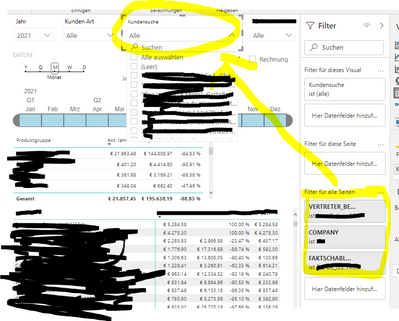
I just had to clear the clients data:
If I add a filter "for all pages" I would like that the dropdown Menu would only show values that match the general filter. Is that somehow possible? Right now the dropdown menu shows me 100% of the clients and not only the filtered data.
Thank you.
Best wishes
Viktor
@v_franz , Not very clear. You can have a measure that only displays active values. And check that measure is not blank is client slicer in the visual level filter
Vote for your favorite vizzies from the Power BI World Championship submissions!
If you love stickers, then you will definitely want to check out our Community Sticker Challenge!
Check out the January 2026 Power BI update to learn about new features.
| User | Count |
|---|---|
| 55 | |
| 52 | |
| 41 | |
| 16 | |
| 16 |
| User | Count |
|---|---|
| 107 | |
| 103 | |
| 40 | |
| 33 | |
| 25 |