Hi @Anonymous
Not sure if you’d like to show the tooltip like this:
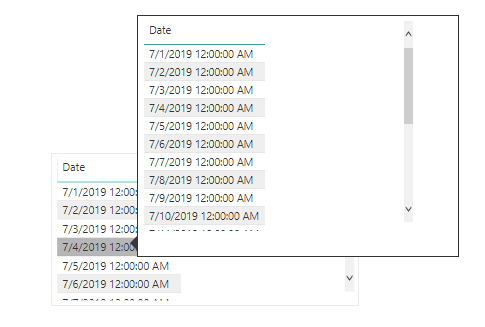
If so, you can follow below steps:
1.Create a report tooltip page, change the page size as tooltip, and the fill it with data.
- Turn the Tooltip slider to On, in the Page Information card, to make the page a tooltip.
- To set a tooltip manually, select the visual for which you want to specify the manual tooltip, then in the Visualizations pane, select the Format section and expand the Tooltip card.
- Then, in the Page dropdown, select the tooltip page you want to use for the selected visual. Note that only report pages that are specified as Tooltip pages show up in the dialog.
Please refer to the official document for more details: https://docs.microsoft.com/en-us/power-bi/desktop-tooltips
Best regards,
Dina Ye
Community Support Team _ Dina Ye
If this post helps, then please consider Accept it as the solution to help the other members find it more
quickly.


