Get certified for free when you join Fabric Data Days 2026 and dive into Fabric, Power BI, SQL, AI, and other essential data skills.
Join nowJuly 28 - August 9 | Final Round of the Power BI Dataviz World Championships. This is your chance. Learn more
Hi
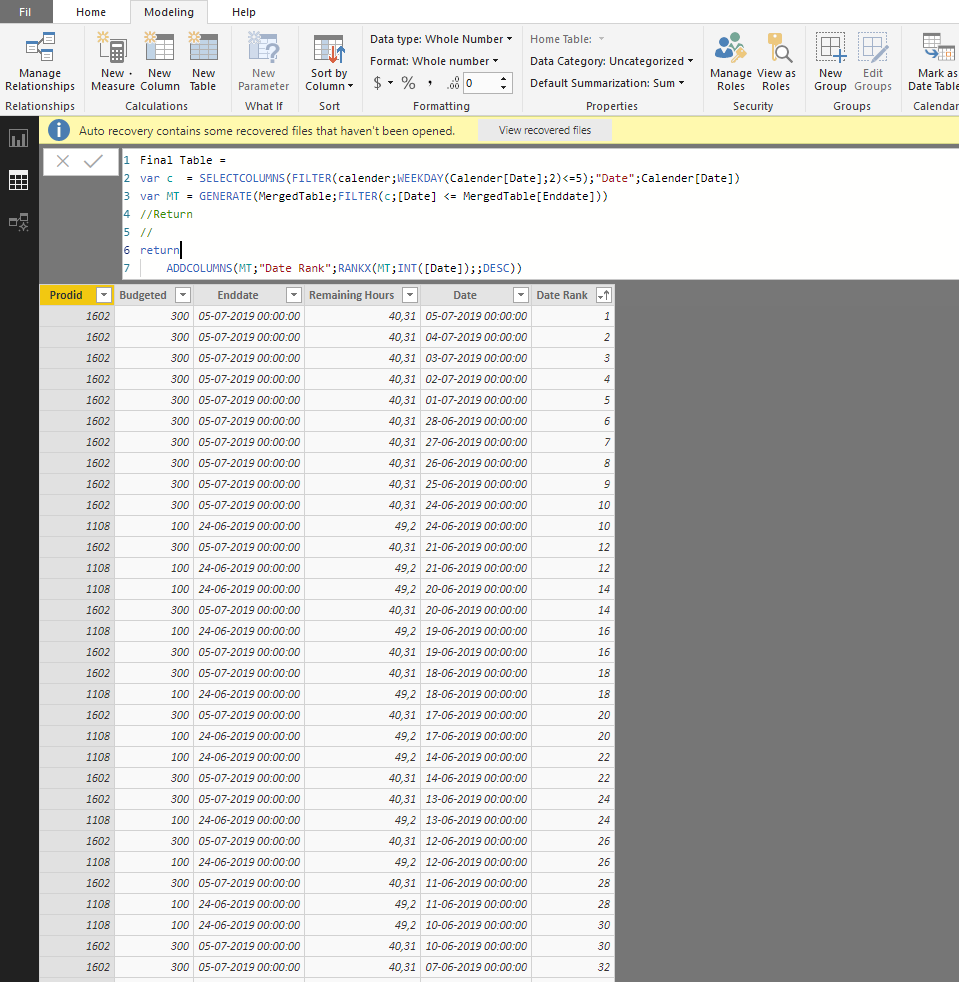
I'm trying to rank the dates for each ProdId Using RankX, but i'm not sure how to do this, when the table is a variable...
Normally you would just specify the subcategory in the 1.st input of RankX, But it seems you can't specify colulmns of variable table..
NB. This needs to be done in one big DAX function
Hi @Anonymous ,
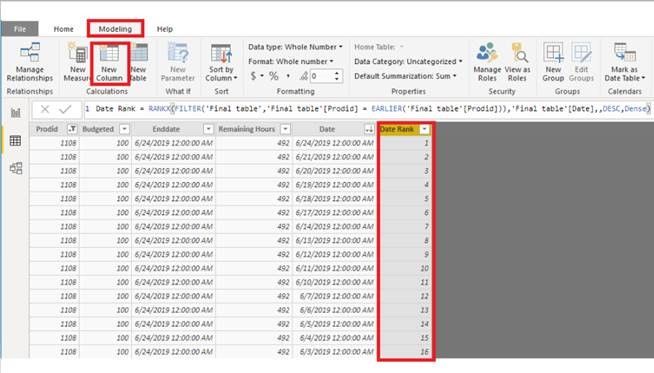
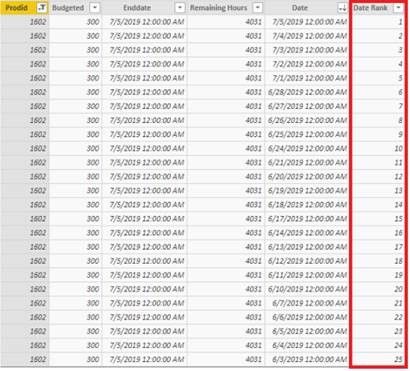
I create a calculated column based on the variable table you can have a try.
Final table =
var c = SELECTCOLUMNS(FILTER('Calendar',WEEKDAY('Calendar'[Date],2)<=5),"Date",'Calendar'[Date])
var MT = GENERATE(Table1,FILTER(c,[Date] <= Table1[Enddate]))
return
MT
Date Rank = RANKX(FILTER('Final table','Final table'[Prodid] = EARLIER('Final table'[Prodid])),'Final table'[Date],,DESC,Dense)Best Regards,
Xue Ding
If this post helps, then please consider Accept it as the solution to help the other members find it more quickly.
If you love stickers, then you will definitely want to check out our community sticker challenge, Barcelona edition!
Check out the July 2026 Power BI update to learn about new features.
| User | Count |
|---|---|
| 28 | |
| 28 | |
| 20 | |
| 19 | |
| 19 |
| User | Count |
|---|---|
| 35 | |
| 26 | |
| 19 | |
| 18 | |
| 17 |