This is best Fabric, Power BI, SQL and AI community event. How do we know? The last event sold out! Save €200 with code FABCMTY200.
Register nowA new Data Days event is coming soon! This time we’re going bigger than ever. Fabric, Power BI, SQL, AI and more. Don't miss out.
Hi
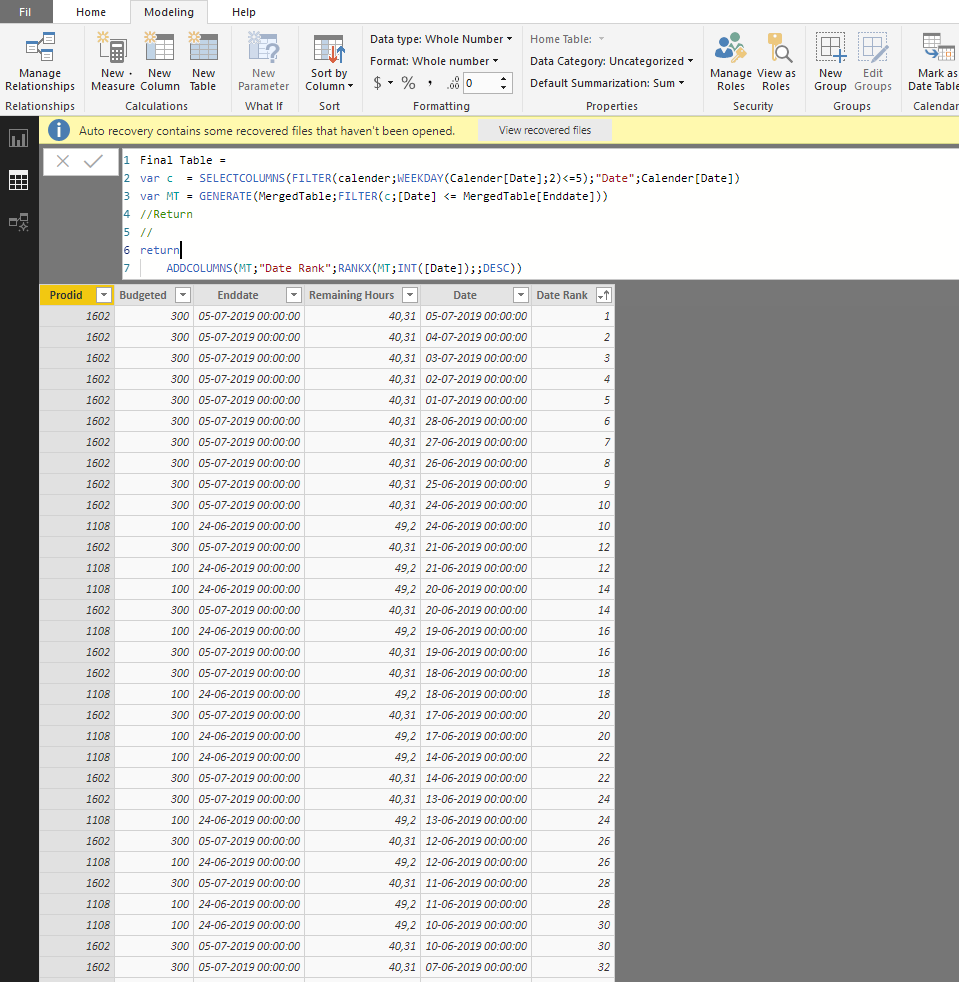
I'm trying to rank the dates for each ProdId Using RankX, but i'm not sure how to do this, when the table is a variable...
Normally you would just specify the subcategory in the 1.st input of RankX, But it seems you can't specify colulmns of variable table..
NB. This needs to be done in one big DAX function
Hi @Anonymous ,
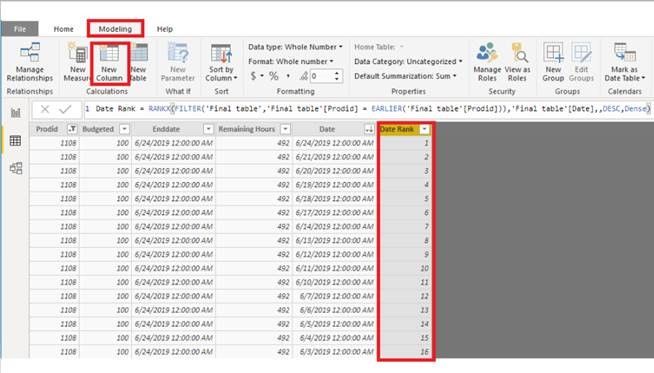
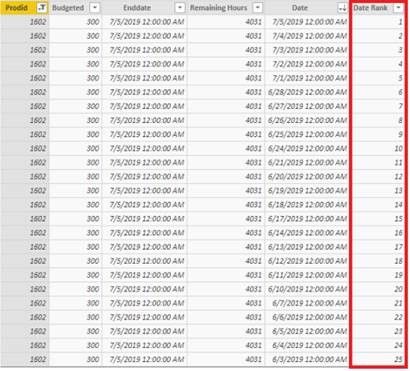
I create a calculated column based on the variable table you can have a try.
Final table =
var c = SELECTCOLUMNS(FILTER('Calendar',WEEKDAY('Calendar'[Date],2)<=5),"Date",'Calendar'[Date])
var MT = GENERATE(Table1,FILTER(c,[Date] <= Table1[Enddate]))
return
MT
Date Rank = RANKX(FILTER('Final table','Final table'[Prodid] = EARLIER('Final table'[Prodid])),'Final table'[Date],,DESC,Dense)Best Regards,
Xue Ding
If this post helps, then please consider Accept it as the solution to help the other members find it more quickly.
Check out the May 2026 Power BI update to learn about new features.
Sign up to receive a private message when registration opens and key events begin.
If you have recently started exploring Fabric, we'd love to hear how it's going. Your feedback can help with product improvements.
| User | Count |
|---|---|
| 32 | |
| 26 | |
| 25 | |
| 24 | |
| 15 |
| User | Count |
|---|---|
| 62 | |
| 48 | |
| 27 | |
| 21 | |
| 20 |