cancel
Showing results for 
Search instead for 
Did you mean: 

A new Data Days event is coming soon! This time we’re going bigger than ever. Fabric, Power BI, SQL, AI and more. Don't miss out.

Reply
kevhav
Continued Contributor

Using Conditional Formatting in Tables, Middle Value = ?!

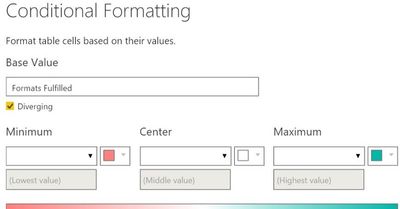
Hi, I have this measure "Formats Fulfilled" in a table, and I've applied conditional formatting, per the below screenshot. 


Below that, another screenshot with the results, sorted in descending order. You can see from the coloring that Power BI has selected 43 as the "middle value;" there are 4 green items above that "middle value," and hundreds of red items below that "middle value". (Not all of the red items are pictured, but there are hundreds more.)


This makes no sense, of course. I checked, and 43 is not the median, nor is it the mean.

  • Not if I include nulls/zeroes in the calculation, nor if I exclude nulls/zeroes; the median and mean are both much smaller than 43, in all of these cases.
  • I tried filtering the dataset, or not filtering the dataset.
  • I tried a table with aggregated data, and a table with unaggregated data (one row per row in the underlying dataset).
  • I tried conditional formatting with several different measures in this dataset.
  • I tried applying conditional formatting to just one measure, and to many measures at once.


For me, using this dataset, the "middle value" tends to always be one of the largest values! I applied the same conditional formatting to several columns/measures, and they all have a ton of red values, with just a few green values. It's not just because of the presence of null/zero values. I thought "maybe it's picking the middle value from ALL of the columns combined, and using the same scale for different columns with different data?" But no, I checked, and each column does have its own scale, for conditional formatting. But for some reason, in each column, the "middle value" tends to be one of the largest values in that column. In the example below, it's the fifth-largest value. In another column, it was the second-largest value! 


How does Power BI determine the "middle value?" Is there some kind of bug, here?


Thanks for your help!


Capture1.jpg

Capture2.jpg

3 REPLIES 3
Anonymous
Not applicable

Hi @kevhav,

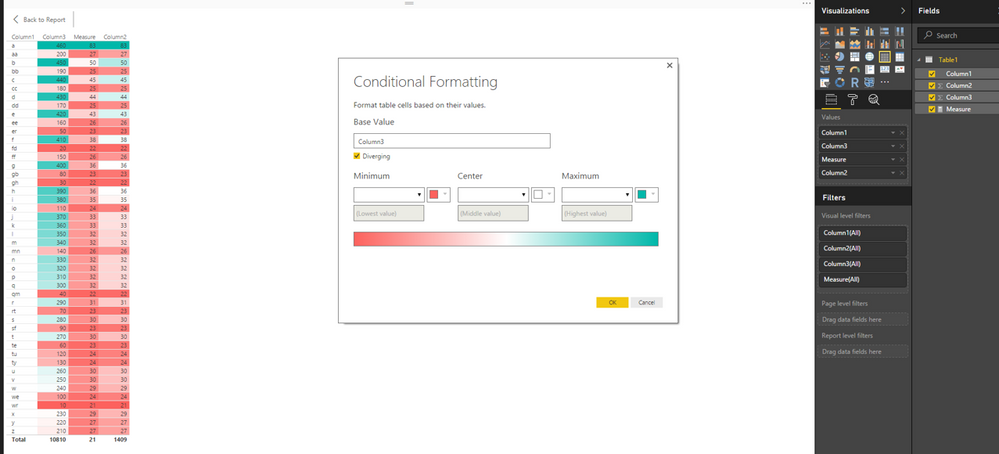
Based on my test, when there are duplicate values in a column or measure, I can reproduce your issue. It seems that Power BI cannot properly determine middle value in this case. However, when there are no duplicate values, everything works as expected using conditional formatting.
1.PNG

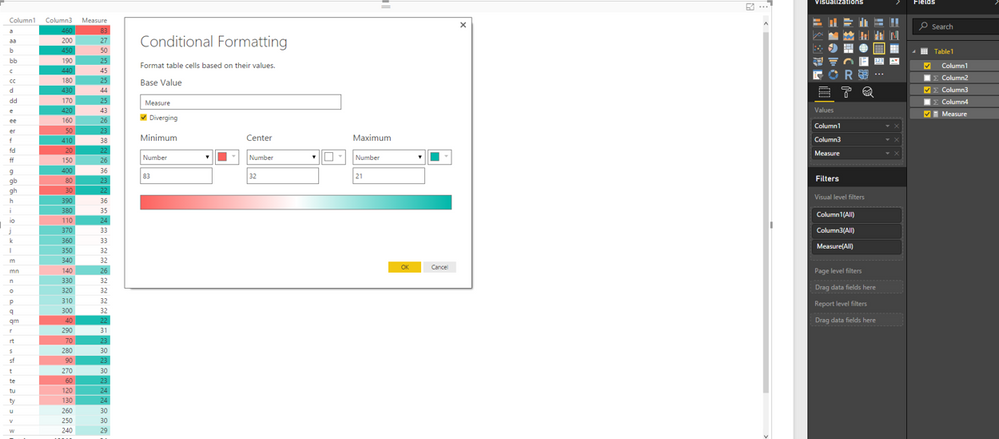
As a workaround for the scenario that there are duplicate vaules in columns or measures , you can enter the lowest value, middle value and highest value using the option as shown in the following screenshot. Meanwhile, I will report this issue internally and post back once I get any update.
2.PNG


Thanks,
Lydia Zhang

kevhav
Continued Contributor

Hi @Anonymous, I understand; thank you for your help. Please do let us know if/when any changes are made.


Anonymous
Not applicable

Hi @kevhav,

I got information from PG team that Power BI Desktop uses 50% to determine the midpoint. In my first example, as the data range is between 21 and 83, the mid-point value is 52, thus 50 is set to white in the table visual. In my second example, as the data range is between 460 and 10, the mid-point value is 235, thus 240 is set to white in the table visual.

I am not sure if you post the complete data of your columns/measures, you can take the largest value and lowest value from your column/measure, then calculate the mid-point value and check if the value around this calculated mid-point value is set to white in table visual when using conditional formatting.

Thanks,
Lydia Zhang

Helpful resources

Announcements
Fabric SQL PBI Data Days

Data Days 2026 coming soon!

Sign up to receive a private message when registration opens and key events begin.

New to Fabric survey Carousel

New to Fabric Survey

If you have recently started exploring Fabric, we'd love to hear how it's going. Your feedback can help with product improvements.

Power BI DataViz World Championships carousel

Power BI DataViz World Championships - June 2026

A new Power BI DataViz World Championship is coming this June! Don't miss out on submitting your entry.