
cancel
Showing results for 
Search instead for 
Did you mean: 

The Power BI Data Visualization World Championships is back! It's time to submit your entry. Live now!

Reply
Jeffery24
Helper I
Helper I

Use parameter value as custom column


Hi,

How would I pass a parameter as just a number in an added column.

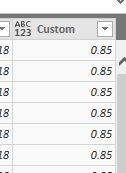
For example if parameter is set at 0.85Test.jpg

How would I add the value of the parameter as column value?


Test.jpg= Table.AddColumn(#"Added Custom1", "Vendor KPI", each 0.85)

Thanks for your help. 

1 ACCEPTED SOLUTION
Zubair_Muhammad
Community Champion
Community Champion

@Jeffery24


= Table.AddColumn(#"Added Custom1", "Vendor KPI", each #"Vendor KPI")

View solution in original post

5 REPLIES 5
Zubair_Muhammad
Community Champion
Community Champion

@Jeffery24


= Table.AddColumn(#"Added Custom1", "Vendor KPI", each #"Vendor KPI")

Thanks for providing the answer! I've been looking for a while but can't quite find a good explanation what the hashtag (#) does in M language. Is it specifically for calling a parameter?

@Mr_Glister, Sorry for late reply. Am no expert but I think it is using the # to call a variable with a space in the name.

Hi,


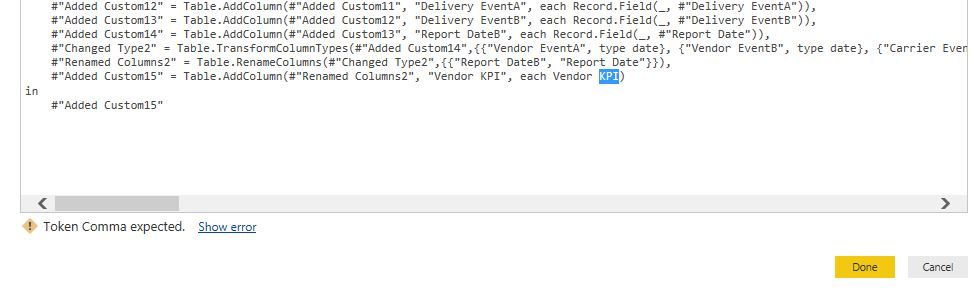
Thanks for quick reply. I tried a similar format earlier but keep getting a "Token Comma Expected" error.Capture.JPGIs it expecting "" around the Vendor KPI parameter or brackets because it has a space in the name? When i tried it just listed it as a string result not the value. Thanks


Hi,


Sorry missed the # sign! Works great. Thanks

Helpful resources

Announcements
Power BI DataViz World Championships

Power BI Dataviz World Championships

The Power BI Data Visualization World Championships is back! It's time to submit your entry.

January Power BI Update Carousel

Power BI Monthly Update - January 2026

Check out the January 2026 Power BI update to learn about new features.

FabCon Atlanta 2026 carousel

FabCon Atlanta 2026

Join us at FabCon Atlanta, March 16-20, for the ultimate Fabric, Power BI, AI and SQL community-led event. Save $200 with code FABCOMM.