
Don't miss your chance to take the Fabric Data Engineer (DP-600) exam for FREE! Find out how by attending the DP-600 session on April 23rd (pacific time), live or on-demand.
Learn moreJoin the FabCon + SQLCon recap series. Up next: Power BI, Real-Time Intelligence, IQ and AI, and Data Factory take center stage. All sessions are available on-demand after the live show. Register now
Hi,
How would I pass a parameter as just a number in an added column.
For example if parameter is set at 0.85
How would I add the value of the parameter as column value?
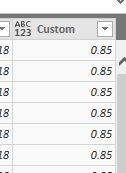
= Table.AddColumn(#"Added Custom1", "Vendor KPI", each 0.85)Thanks for your help.
Solved! Go to Solution.
= Table.AddColumn(#"Added Custom1", "Vendor KPI", each #"Vendor KPI")
Thanks for providing the answer! I've been looking for a while but can't quite find a good explanation what the hashtag (#) does in M language. Is it specifically for calling a parameter?
@Mr_Glister, Sorry for late reply. Am no expert but I think it is using the # to call a variable with a space in the name.
Hi,
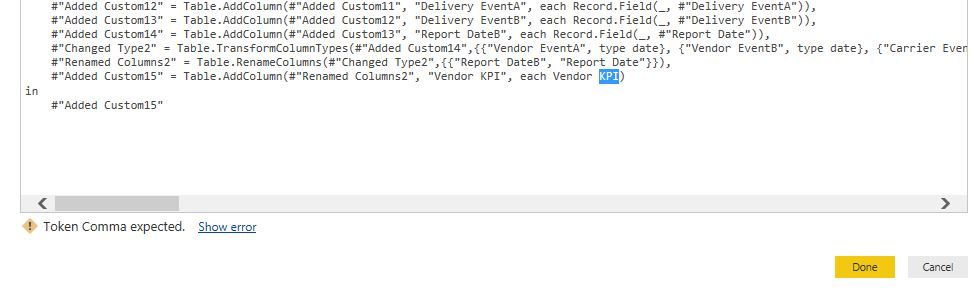
Thanks for quick reply. I tried a similar format earlier but keep getting a "Token Comma Expected" error.Is it expecting "" around the Vendor KPI parameter or brackets because it has a space in the name? When i tried it just listed it as a string result not the value. Thanks
Hi,
Sorry missed the # sign! Works great. Thanks
Check out the April 2026 Power BI update to learn about new features.
If you have recently started exploring Fabric, we'd love to hear how it's going. Your feedback can help with product improvements.
A new Power BI DataViz World Championship is coming this June! Don't miss out on submitting your entry.
| User | Count |
|---|---|
| 48 | |
| 40 | |
| 38 | |
| 20 | |
| 16 |
| User | Count |
|---|---|
| 68 | |
| 66 | |
| 29 | |
| 26 | |
| 25 |