This is best Fabric, Power BI, SQL and AI community event. How do we know? The last event sold out! Save €200 with code FABCMTY200.
Register nowGet Fabric Certified for FREE during AI Skills Fest. This week only. Secure your voucher now.
I'm doing a visual that is going to display some arrows as a quick guide. Ideally i'd love to dynamically change the font colour on the arrows but that doesn't appear to be an option, so instead i'll go with ASCII/UNICODE arrows. First ones i've tried are a little hard to see, so i figured i ask what arrows are your favourites?
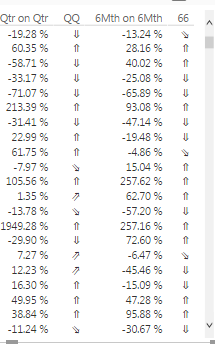
Here is my example:
These are Unicodes: 8657, 8663, 8660, 8664, 8659
Solved! Go to Solution.
@Anonymous,
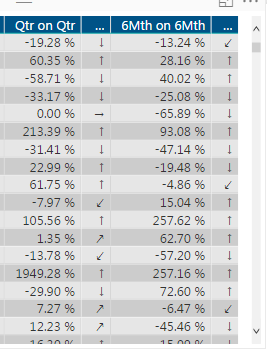
How about Cambria Math symbols? It looks like
↑→↓↗↙
Regards,
Charlie Liao
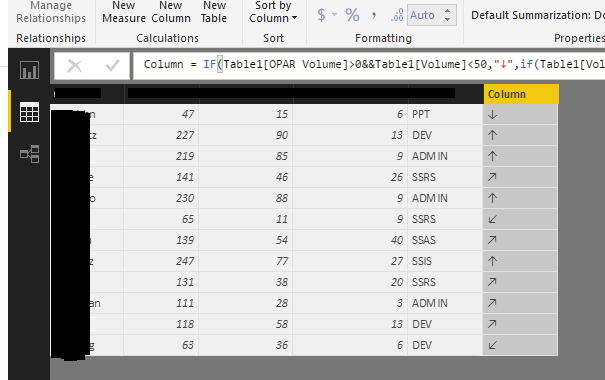
There are a few tricks where you can create a DAX forumula that returns a TrueType font Arrow up or down, but no colour. You could look at this https://app.powerbi.com/visuals/show/PBI_CV_7B952816_A48F_49B4_9E13_15E3BB2C0337
Thanks Matt. Your link came up as broken. In the meantime i'll have a look into the TrueType font arrows.
@Anonymous,
How about Cambria Math symbols? It looks like
↑→↓↗↙
Regards,
Charlie Liao
Here is that version for the curious.
@v-caliao-msft They look great. What DAX expressions would i use for those?
EDIT: Oh they are copy/paste available. Thats easy.
Check out the May 2026 Power BI update to learn about new features.
Sign up to receive a private message when registration opens and key events begin.
If you have recently started exploring Fabric, we'd love to hear how it's going. Your feedback can help with product improvements.
| User | Count |
|---|---|
| 26 | |
| 25 | |
| 23 | |
| 19 | |
| 18 |
| User | Count |
|---|---|
| 44 | |
| 41 | |
| 41 | |
| 21 | |
| 21 |