This is best Fabric, Power BI, SQL and AI community event. How do we know? The last event sold out! Save €200 with code FABCMTY200.
Register nowA new Data Days event is coming soon! This time we’re going bigger than ever. Fabric, Power BI, SQL, AI and more. Don't miss out.
I'm doing a visual that is going to display some arrows as a quick guide. Ideally i'd love to dynamically change the font colour on the arrows but that doesn't appear to be an option, so instead i'll go with ASCII/UNICODE arrows. First ones i've tried are a little hard to see, so i figured i ask what arrows are your favourites?
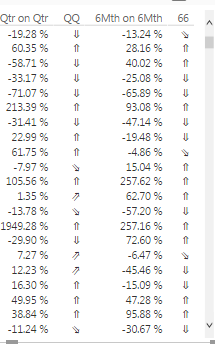
Here is my example:
These are Unicodes: 8657, 8663, 8660, 8664, 8659
Solved! Go to Solution.
@Anonymous,
How about Cambria Math symbols? It looks like
↑→↓↗↙
Regards,
Charlie Liao
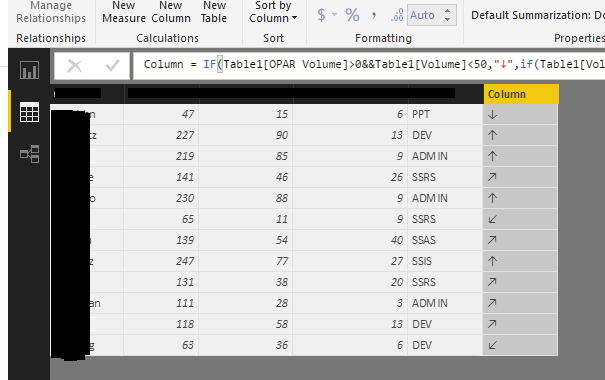
There are a few tricks where you can create a DAX forumula that returns a TrueType font Arrow up or down, but no colour. You could look at this https://app.powerbi.com/visuals/show/PBI_CV_7B952816_A48F_49B4_9E13_15E3BB2C0337
Thanks Matt. Your link came up as broken. In the meantime i'll have a look into the TrueType font arrows.
@Anonymous,
How about Cambria Math symbols? It looks like
↑→↓↗↙
Regards,
Charlie Liao
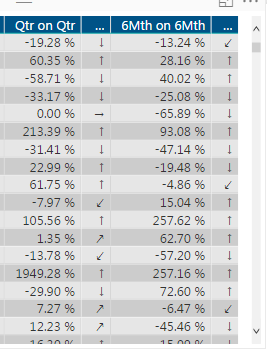
Here is that version for the curious.
@v-caliao-msft They look great. What DAX expressions would i use for those?
EDIT: Oh they are copy/paste available. Thats easy.
Check out the May 2026 Power BI update to learn about new features.
Sign up to receive a private message when registration opens and key events begin.
If you have recently started exploring Fabric, we'd love to hear how it's going. Your feedback can help with product improvements.
| User | Count |
|---|---|
| 29 | |
| 28 | |
| 25 | |
| 20 | |
| 14 |
| User | Count |
|---|---|
| 53 | |
| 47 | |
| 23 | |
| 20 | |
| 19 |