Join us at FabCon Atlanta from March 16 - 20, 2026, for the ultimate Fabric, Power BI, AI and SQL community-led event. Save $200 with code FABCOMM.
Register now!The Power BI Data Visualization World Championships is back! It's time to submit your entry. Live now!
Hi
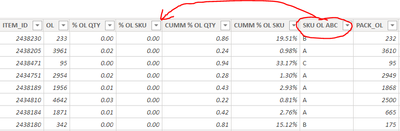
I have a table which is created in the power BI file and not linked to any source. I have added many columns and now I want to sre-arrange the columns to organize the data. Is that possible?
Solved! Go to Solution.
@Anonymous, Go to Query Editor Window, Drag & drop the columns as you need.
Hi, @Anonymous
If you want to change the order then you need to rebuild the created table.
The order of the columns is determined when the table is created.
If you want to change the order of presentation, you can create a table visual in the report and drag and drop the columns in the order you want.
Best Regards,
Community Support Team _ Zeon Zheng
If this post helps, then please consider Accept it as the solution to help the other members find it more quickly.
@Anonymous, Go to Query Editor Window, Drag & drop the columns as you need.
The Power BI Data Visualization World Championships is back! It's time to submit your entry.
Check out the January 2026 Power BI update to learn about new features.
| User | Count |
|---|---|
| 56 | |
| 42 | |
| 40 | |
| 21 | |
| 20 |
| User | Count |
|---|---|
| 150 | |
| 106 | |
| 65 | |
| 36 | |
| 36 |