cancel
Showing results for 
Search instead for 
Did you mean: 

The Power BI Data Visualization World Championships is back! Get ahead of the game and start preparing now! Learn more

Reply
KrisW
Helper I
Helper I

Stacked Area Chart - Inconsistent Display

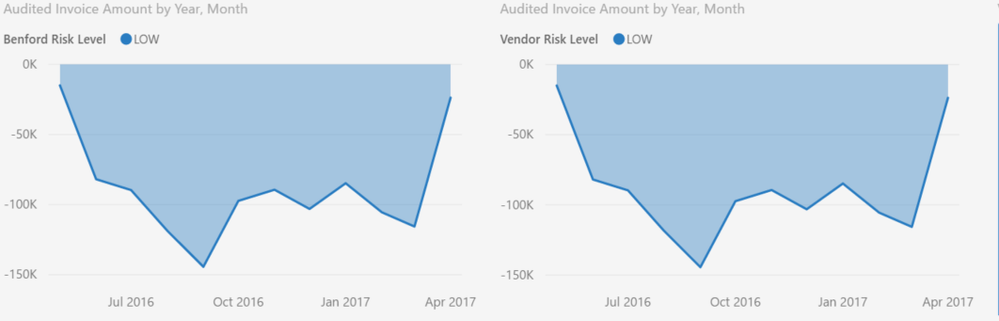
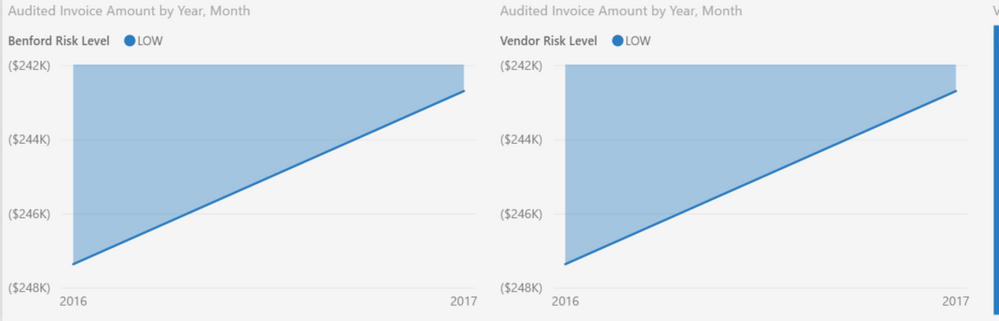
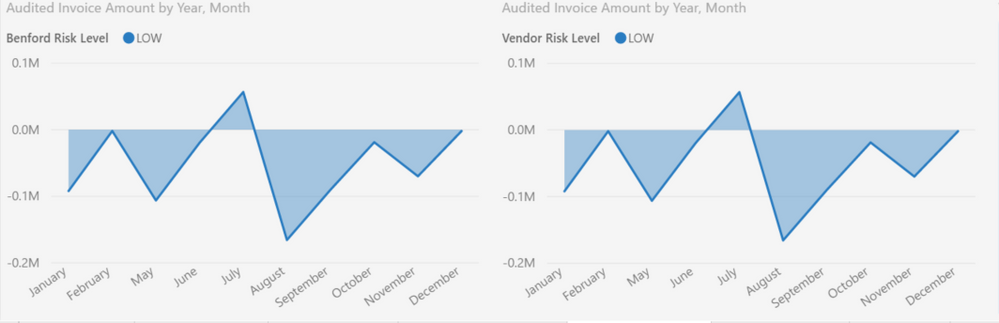
I am fairly new to Power BI having taken over for our "expert" who decided to leave the company. I am going through the file verifying filters, format, etc The Stacked Area Charts are driving me crazy! All are configured the same, similar underlying data. I *want* MONTH-YEAR to be displayed. There are 2 charts side by side on each page & sometimes I can simply delete, copy the correct one & edit it so the I have 2 displaying correctly. Then I have the pages/charts that just do not want to co-operate. Suggestions anyone?


Kris


Desired - MMM-YYYYDesired - MMM-YYYYDisplaying year onlyDisplaying year onlyDisplaying month onlyDisplaying month only

2 ACCEPTED SOLUTIONS
Anonymous
Not applicable

@KrisW,

What field do you drag to the X-Axis of these charts and which table does the field come from? If you only want Month-Year to be displayed, you can create a MonthYear calculated column in the table, then drag it to X-Axis of your charts,

Regards,
Lydia

View solution in original post

Anonymous
Not applicable


@KrisW wrote:

I am using a "transaction date" field, displaying hierarchy for year & month. 


@KrisW,

In this scenario, you can display all charts in Month-Year format as long as you choose the third button to drill down charts,

1.JPG2.JPG

Regards,
Lydia

View solution in original post

3 REPLIES 3
Anonymous
Not applicable

@KrisW,

What field do you drag to the X-Axis of these charts and which table does the field come from? If you only want Month-Year to be displayed, you can create a MonthYear calculated column in the table, then drag it to X-Axis of your charts,

Regards,
Lydia

I am using a "transaction date" field, displaying hierarchy for year & month. I am begining to think that a calculated character field might be the only means of achieving consistancy in the display. Just a tad resentful that I might have to re-write the code generating nearly 50 reports to add the column for Power BI.

I also noted that quarters seemed to be assumed according to calendar year, I might need to add a calculated field for that as well.

Anonymous
Not applicable


@KrisW wrote:

I am using a "transaction date" field, displaying hierarchy for year & month. 


@KrisW,

In this scenario, you can display all charts in Month-Year format as long as you choose the third button to drill down charts,

1.JPG2.JPG

Regards,
Lydia

Helpful resources

Announcements
Power BI DataViz World Championships

Power BI Dataviz World Championships

The Power BI Data Visualization World Championships is back! Get ahead of the game and start preparing now!

December 2025 Power BI Update Carousel

Power BI Monthly Update - December 2025

Check out the December 2025 Power BI Holiday Recap!

FabCon Atlanta 2026 carousel

FabCon Atlanta 2026

Join us at FabCon Atlanta, March 16-20, for the ultimate Fabric, Power BI, AI and SQL community-led event. Save $200 with code FABCOMM.