Join us at FabCon Atlanta from March 16 - 20, 2026, for the ultimate Fabric, Power BI, AI and SQL community-led event. Save $200 with code FABCOMM.
Register now!The Power BI Data Visualization World Championships is back! It's time to submit your entry. Live now!
I am fairly new to Power BI having taken over for our "expert" who decided to leave the company. I am going through the file verifying filters, format, etc The Stacked Area Charts are driving me crazy! All are configured the same, similar underlying data. I *want* MONTH-YEAR to be displayed. There are 2 charts side by side on each page & sometimes I can simply delete, copy the correct one & edit it so the I have 2 displaying correctly. Then I have the pages/charts that just do not want to co-operate. Suggestions anyone?
Kris
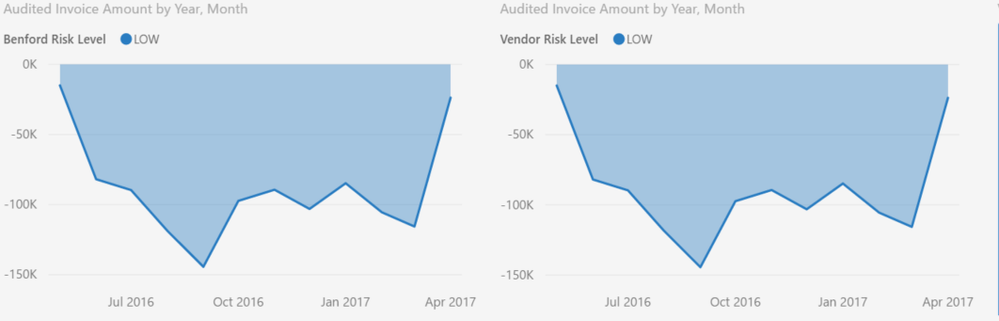
Desired - MMM-YYYY
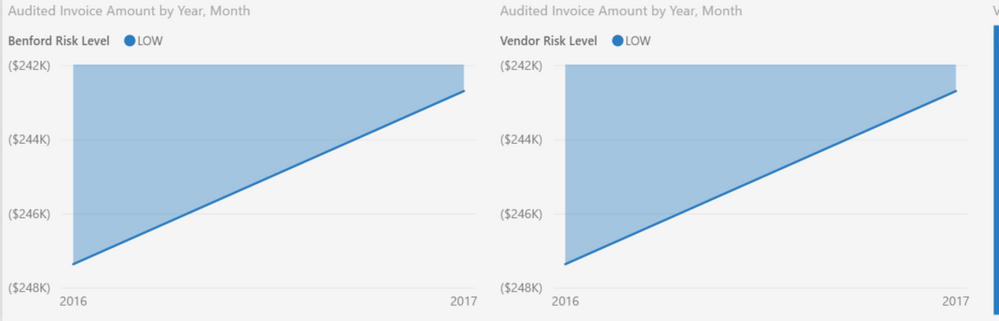
Displaying year only
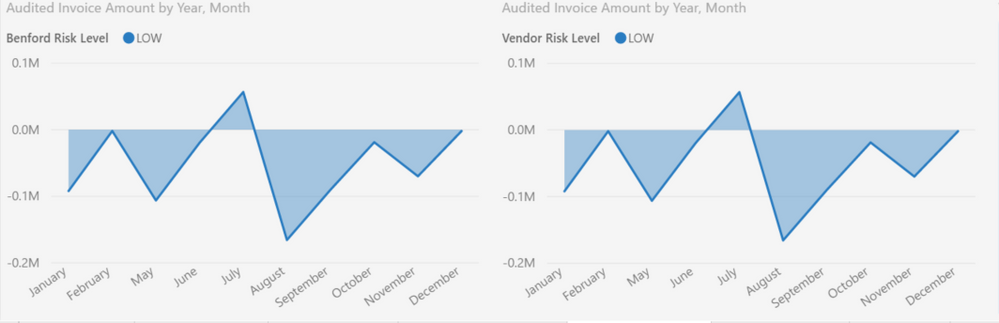
Displaying month only
Solved! Go to Solution.
@KrisW,
What field do you drag to the X-Axis of these charts and which table does the field come from? If you only want Month-Year to be displayed, you can create a MonthYear calculated column in the table, then drag it to X-Axis of your charts,
Regards,
Lydia
@KrisW,
What field do you drag to the X-Axis of these charts and which table does the field come from? If you only want Month-Year to be displayed, you can create a MonthYear calculated column in the table, then drag it to X-Axis of your charts,
Regards,
Lydia
I am using a "transaction date" field, displaying hierarchy for year & month. I am begining to think that a calculated character field might be the only means of achieving consistancy in the display. Just a tad resentful that I might have to re-write the code generating nearly 50 reports to add the column for Power BI.
I also noted that quarters seemed to be assumed according to calendar year, I might need to add a calculated field for that as well.
The Power BI Data Visualization World Championships is back! It's time to submit your entry.
| User | Count |
|---|---|
| 50 | |
| 43 | |
| 36 | |
| 33 | |
| 30 |
| User | Count |
|---|---|
| 138 | |
| 125 | |
| 60 | |
| 59 | |
| 56 |