Join us at FabCon Atlanta from March 16 - 20, 2026, for the ultimate Fabric, Power BI, AI and SQL community-led event. Save $200 with code FABCOMM.
Register now!The Power BI Data Visualization World Championships is back! It's time to submit your entry. Live now!
All,
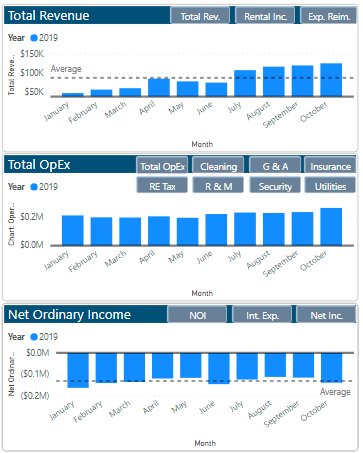
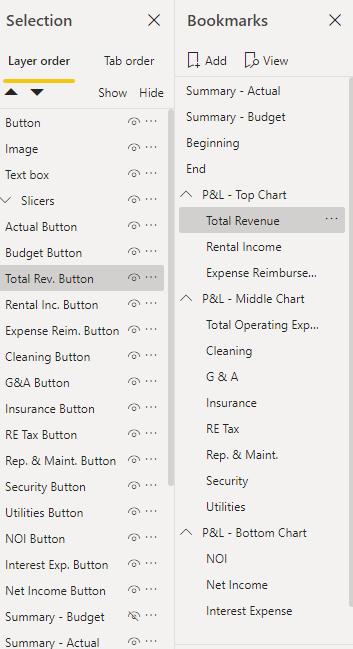
I have created a chart that, through buttons and bookmarks, changes to the variable chart I would like. While the buttons fuction properly and get the job done, I would like to convert the buttons into slicers so I can select the graph of my choosing. I have tried multiple suggested solutions from the community, including creating new columns/queries and downloading the hierarchy slicer, but have yet to resolve my question.
I would greatly appreciate someone helping.
Picture of Charts with Buttons
Picture of selections and bookmarks tied in with the buttons
Thanks,
Adam
Solved! Go to Solution.
I Think your are looking for something like this.
https://www.fourmoo.com/2017/11/21/power-bi-using-a-slicer-to-show-different-measures/
I Think your are looking for something like this.
https://www.fourmoo.com/2017/11/21/power-bi-using-a-slicer-to-show-different-measures/
Hi,
have you try creating a table with a row for each button and then a measure switching showing different measures by new table selection?
Lorenzo
The Power BI Data Visualization World Championships is back! It's time to submit your entry.
| User | Count |
|---|---|
| 50 | |
| 42 | |
| 36 | |
| 31 | |
| 29 |
| User | Count |
|---|---|
| 129 | |
| 129 | |
| 59 | |
| 48 | |
| 47 |