Share feedback directly with Fabric product managers, participate in targeted research studies and influence the Fabric roadmap.
Sign up nowGet Fabric certified for FREE! Don't miss your chance! Learn more
I am attempting to get data from one of several Excel files that exists in a sharepoint online directory such as the following: https://xxxxxxxx.sharepoint.com/sites/BookSales
When I attempt to load the data I get errors in the query. At first I thought the problem was related to whatever it is trying to do to in the combine & load, but I removed all files except for the single excel file I need and still get the following error:
Expression.Error: The type of the value does not match the type of the column.
The errors appears to be in the 'Date Accessed' column and I have no idea where that is coming from. I've tried to change the data type on the column, but I still cannot get my data to load. Any help would be greatly appreciated
Solved! Go to Solution.
Hi @lizrowden ,
Please follow the steps bellow:
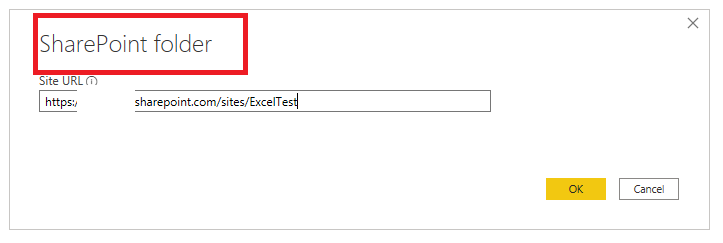
1. Please use "SharePoint Folder" connector to connect to your sharepoint excel.
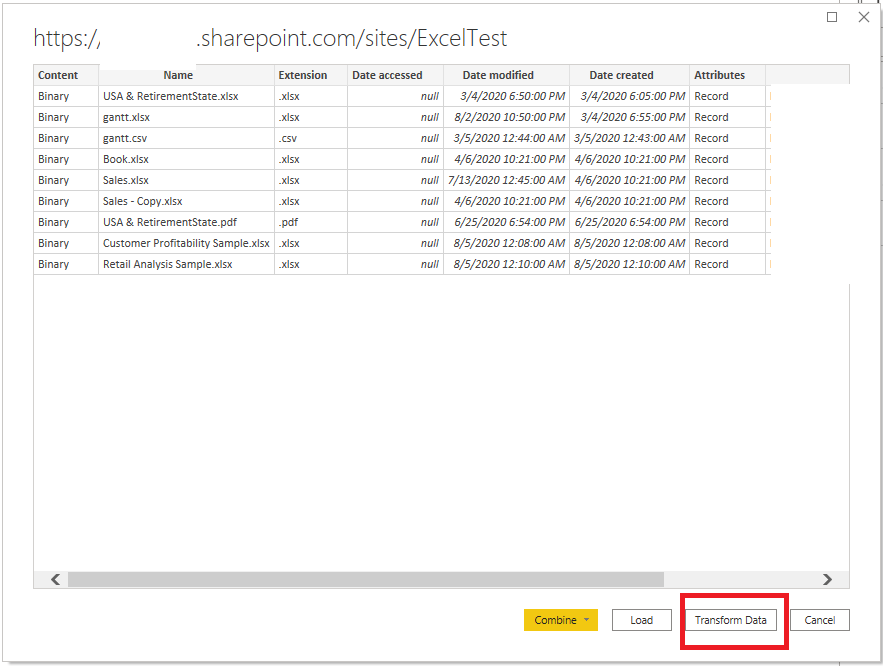
2. Click "Transform Data" option.
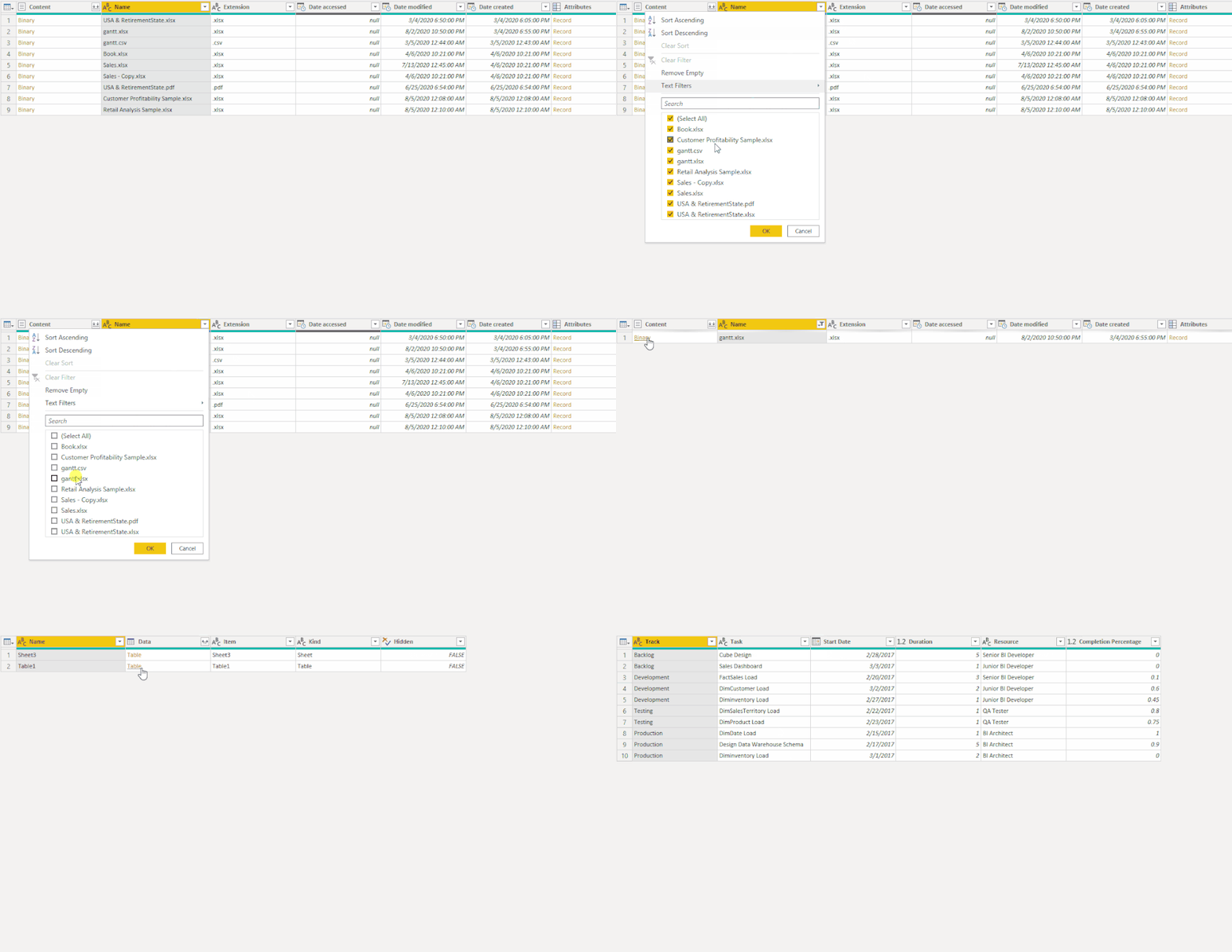
3. Filter the excel file you want.
Best Regards,
Icey
If this post helps, then please consider Accept it as the solution to help the other members find it more quickly.
Hi @lizrowden ,
Please follow the steps bellow:
1. Please use "SharePoint Folder" connector to connect to your sharepoint excel.
2. Click "Transform Data" option.
3. Filter the excel file you want.
Best Regards,
Icey
If this post helps, then please consider Accept it as the solution to help the other members find it more quickly.
@lizrowden - What connector are you using?
The one labeled Sharepoint Online
If you love stickers, then you will definitely want to check out our Community Sticker Challenge!
Check out the January 2026 Power BI update to learn about new features.
| User | Count |
|---|---|
| 62 | |
| 61 | |
| 42 | |
| 21 | |
| 18 |
| User | Count |
|---|---|
| 122 | |
| 117 | |
| 37 | |
| 34 | |
| 30 |