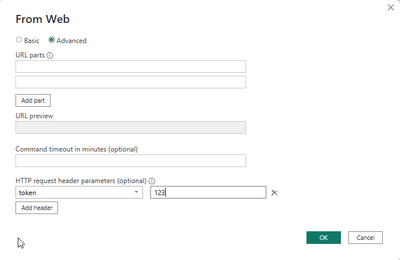
I have a pretty simple Power BI dataset with 4 queries.
The first query retrieves an access_token from an API:
= () => let
    url = "https://api./.../application",
    headers = [#"Content-Type" = "application/json"],
    postData = Json.FromValue([applicationId = 123, applicationSecret = "123"]),
    response = Web.Contents(
        url,
        [
            Headers = headers,
            Content = postData
        ]
    ),
    access_token = Json.Document(response)[accessToken]
in
    access_token
The other queries use the dynamically generated access token and retrieve data from the API:
let
    Source = Json.Document(Web.Contents("https://api./...", [Headers=[token=GetToken()]])),
    # ...
    # ...
in
    # ...
It all works fine and I can refresh the data if I click "Refresh" in the dataset in the Power BI desktop application.
What I want to do though is to publish the dataset to Power BI service and schedule a refresh.
In order to do so I need to edit the credentials somehow:
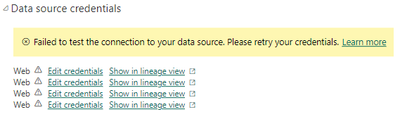
What do I need to do here in order to regularily configure a Scheduled Refresh?
Thank you