Share feedback directly with Fabric product managers, participate in targeted research studies and influence the Fabric roadmap.
Sign up nowGet Fabric certified for FREE! Don't miss your chance! Learn more
Hi everyone,
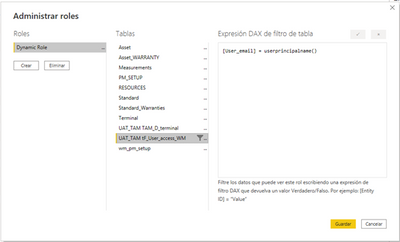
I'm facing a problem applying a Row Level Security to my report. I have create a Rol where I filter the Countries depend on the user email.
And when I click on test a role it works.
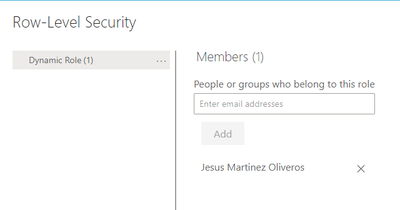
Then when I publish the report on the workspace I can see the Role created.
But the issue comes when anyone opens it and It is not filtered by the country of the person who is watching it. It is as if the role had not been applied.
Do you know if i have to change anything on my workspace/report/database settings?
Thank you,
Regards.
Solved! Go to Solution.
Hi, @javier-martinez ;
This is probably happening because the user (test user) has access to the workspace as either an Admin, Member or Contributor. These Workspace users are NOT subject to RLS so will see all data. You need to user to be a "Viewer" in the Workspace to be subject to RLS. Go to the Access options in the workspace and set the test user to "Viewer".
if not right,can you share your simple data and result what you want to output?
Best Regards,
Community Support Team _ Yalan Wu
If this post helps, then please consider Accept it as the solution to help the other members find it more quickly.
Hi, @javier-martinez ;
This is probably happening because the user (test user) has access to the workspace as either an Admin, Member or Contributor. These Workspace users are NOT subject to RLS so will see all data. You need to user to be a "Viewer" in the Workspace to be subject to RLS. Go to the Access options in the workspace and set the test user to "Viewer".
if not right,can you share your simple data and result what you want to output?
Best Regards,
Community Support Team _ Yalan Wu
If this post helps, then please consider Accept it as the solution to help the other members find it more quickly.
If you love stickers, then you will definitely want to check out our Community Sticker Challenge!
Check out the January 2026 Power BI update to learn about new features.
| User | Count |
|---|---|
| 61 | |
| 58 | |
| 45 | |
| 21 | |
| 18 |
| User | Count |
|---|---|
| 122 | |
| 119 | |
| 37 | |
| 35 | |
| 29 |