Join us at FabCon Atlanta from March 16 - 20, 2026, for the ultimate Fabric, Power BI, AI and SQL community-led event. Save $200 with code FABCOMM.
Register now!The Power BI Data Visualization World Championships is back! Get ahead of the game and start preparing now! Learn more
Hello everyone,
I have an issue on removing an excel source from power BI.
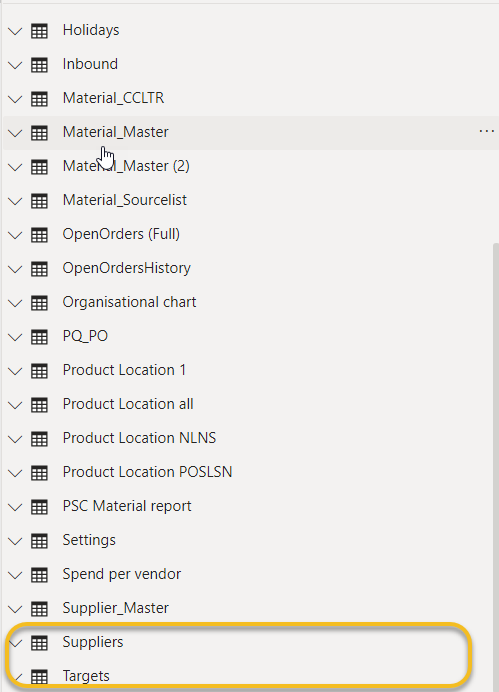
I have removed the source from desktop power BI model and data area, as you can see in picture below.
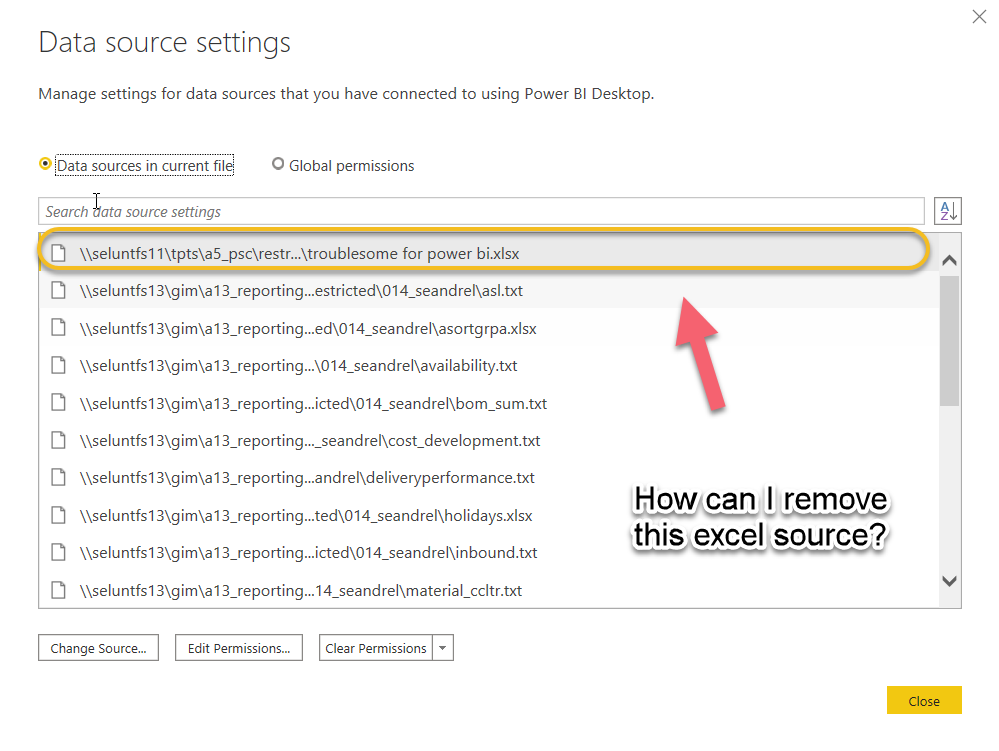
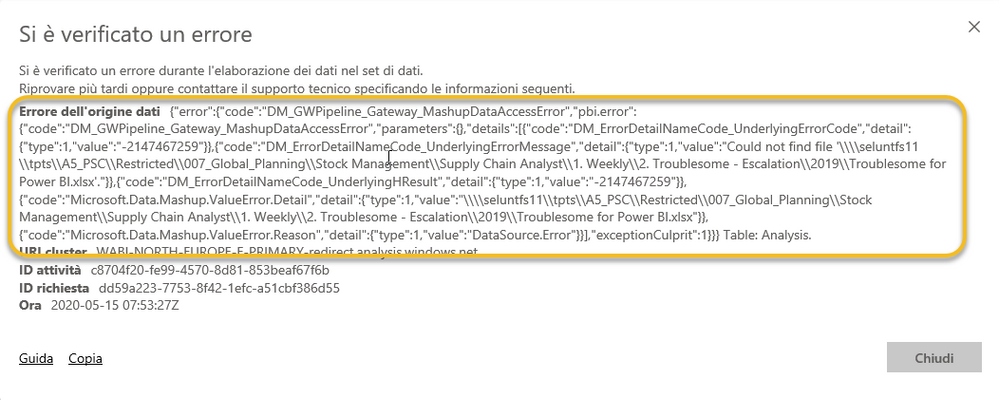
Unfortunately I can still see the source in the Data source setting and when loading the data online I have issue on refresh the app (see error below).
My question is: how do I remove the excel file from the data source setting?
Anyone can help?
Thank you
Model and Data area
Data source setting
Issue when refreshing the data
Hi @Anonymous ,
Is this problem solved?
Best Regards,
Icey
Hi @Anonymous ,
To delete the data source in current report, you need to delete all queries or tables connect to this specific data source manually. Then this data source will disappear correspondingly in Data Source Settings. Please check.
Best Regards,
Icey
If this post helps, then please consider Accept it as the solution to help the other members find it more quickly.
Have similar issue - switched queries to new source, now the old data source is not used in any query but its still on the list and I cant remove it. Triple checked in advanced editor - the source I need to dissapear in not used anywhere
The Power BI Data Visualization World Championships is back! Get ahead of the game and start preparing now!
| User | Count |
|---|---|
| 161 | |
| 132 | |
| 117 | |
| 79 | |
| 53 |