Join us at FabCon Atlanta from March 16 - 20, 2026, for the ultimate Fabric, Power BI, AI and SQL community-led event. Save $200 with code FABCOMM.
Register now!The Power BI Data Visualization World Championships is back! Get ahead of the game and start preparing now! Learn more
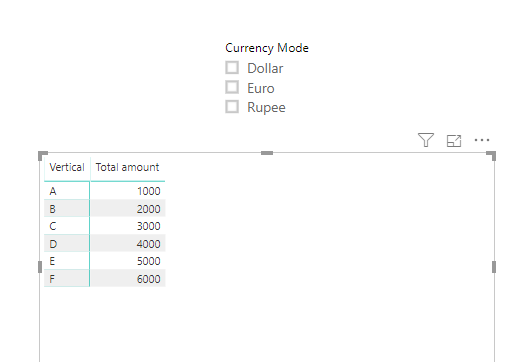
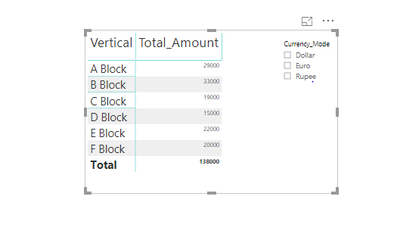
Actually, in matrix table, I used slicer to filter.When I click certain filter ,its corresponding values(i.e)column 1 value want to be displayed, if selecting all in filter want a value which is apart (i.e)column 2 value want to be display
Solved! Go to Solution.
Hi @Uma_Dhandpani ,
You are referring to dynamically changing column displayed by slicer selection, please check below similar posts:
Hi @Uma_Dhandpani ,
It seems your description is a little bit different with above post, I've created a pbix based on your question:
Measure =
IF (
HASONEVALUE ( 'Table 2'[Currency Mode] ),
IF (
SELECTEDVALUE ( 'Table'[Attribute] ) = "BaseAmount",
CALCULATE (
MAX ( 'Table'[Value] ),
FILTER ( 'Table', [Attribute] = "BaseAmount" )
)
),
IF (
SELECTEDVALUE ( 'Table'[Attribute] ) = "Total amount",
CALCULATE (
MAX ( 'Table'[Value] ),
FILTER ( 'Table', [Attribute] = "Total amount" )
)
)
)
pbix attached.
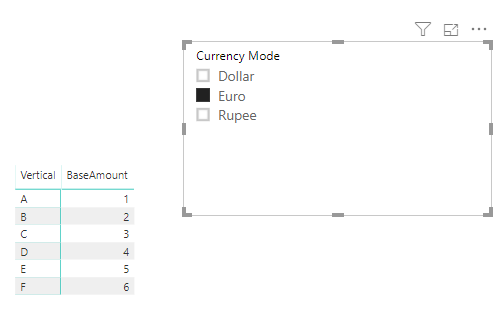
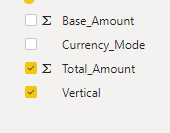
The first image denotes the field I have and second , the report to be .Default, it should display the Total_Amount value, when I click on the filter (i.e) dollar/euro/rupee, it should display the Base_Amount value
Hi @Uma_Dhandpani ,
It seems your description is a little bit different with above post, I've created a pbix based on your question:
Measure =
IF (
HASONEVALUE ( 'Table 2'[Currency Mode] ),
IF (
SELECTEDVALUE ( 'Table'[Attribute] ) = "BaseAmount",
CALCULATE (
MAX ( 'Table'[Value] ),
FILTER ( 'Table', [Attribute] = "BaseAmount" )
)
),
IF (
SELECTEDVALUE ( 'Table'[Attribute] ) = "Total amount",
CALCULATE (
MAX ( 'Table'[Value] ),
FILTER ( 'Table', [Attribute] = "Total amount" )
)
)
)
pbix attached.
Hi @Uma_Dhandpani ,
You are referring to dynamically changing column displayed by slicer selection, please check below similar posts:
Hi @Uma_Dhandpani ,
Could you please show more details with expected data?
The Power BI Data Visualization World Championships is back! Get ahead of the game and start preparing now!
| User | Count |
|---|---|
| 39 | |
| 37 | |
| 33 | |
| 32 | |
| 29 |
| User | Count |
|---|---|
| 133 | |
| 88 | |
| 85 | |
| 68 | |
| 64 |