Join us at FabCon Atlanta from March 16 - 20, 2026, for the ultimate Fabric, Power BI, AI and SQL community-led event. Save $200 with code FABCOMM.
Register now!Get Fabric Certified for FREE during Fabric Data Days. Don't miss your chance! Request now
I am trying to rank different stores based on Sales. These stores are also broken out by Country, Region, District.
I would like to be able to rank the countries against each other, the Regions, and the districts.
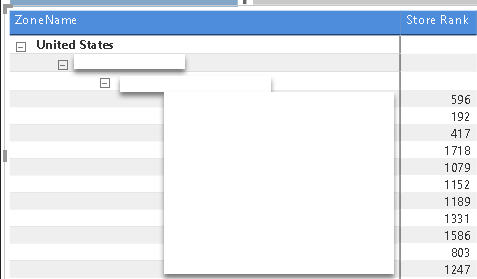
Something like this all in one matrix. What would be the correct Formula for this?
USA 1 RANK 1
US Central RANK 2
STORE 1 RANK2
STORE 3 RANK 3
STORE 4 RANK 1
US EAST RANK 1
US South RANK 3
China RANK 3
Canada RANK 2
Solved! Go to Solution.
Hi @Anonymous,
Nope, you can't direct write a simple formula to achieve multiple level ranking.
In my opinion, your formula should nested with multiple ranking formulas based on each level and concatenate by if statement. After these, you can use if statement to check current level and use correspond ranking formula.
You can take a look at below is a blog, it told about how to use if statement to check current hierarchy level.
Clever Hierarchy Handling in DAX
Regards,
Xiaoxin Sheng
Hi @Anonymous,
Nope, you can't direct write a simple formula to achieve multiple level ranking.
In my opinion, your formula should nested with multiple ranking formulas based on each level and concatenate by if statement. After these, you can use if statement to check current level and use correspond ranking formula.
You can take a look at below is a blog, it told about how to use if statement to check current hierarchy level.
Clever Hierarchy Handling in DAX
Regards,
Xiaoxin Sheng
Thanks @Anonymous Xiaoxin.... That did the trick...
Here was my final dax formula.
Check out the November 2025 Power BI update to learn about new features.
Advance your Data & AI career with 50 days of live learning, contests, hands-on challenges, study groups & certifications and more!