Don't miss your chance to take the Fabric Data Engineer (DP-600) exam for FREE! Find out how by watching the DP-600 session on-demand now through April 28th.
Learn moreJoin the FabCon + SQLCon recap series. Up next: Power BI, Real-Time Intelligence, IQ and AI, and Data Factory take center stage. All sessions are available on-demand after the live show. Register now
Hello Power Bi Community. I am new and excited to be learning this amazing software.
Question: I have a column like below:
AECOsim
0
0
0
1
3
0
4
2
3
4
2
1
1
I want to be able to pull how many occurences happen with each value, like this:
0 = 4
1 = 3
2 = 2
3 = 2
4 = 2
and so on. I have about 30 of these types of columns to do this to. Any and all help is appreciated!
Thank you
![]()
Solved! Go to Solution.
Hi @CHBIV,
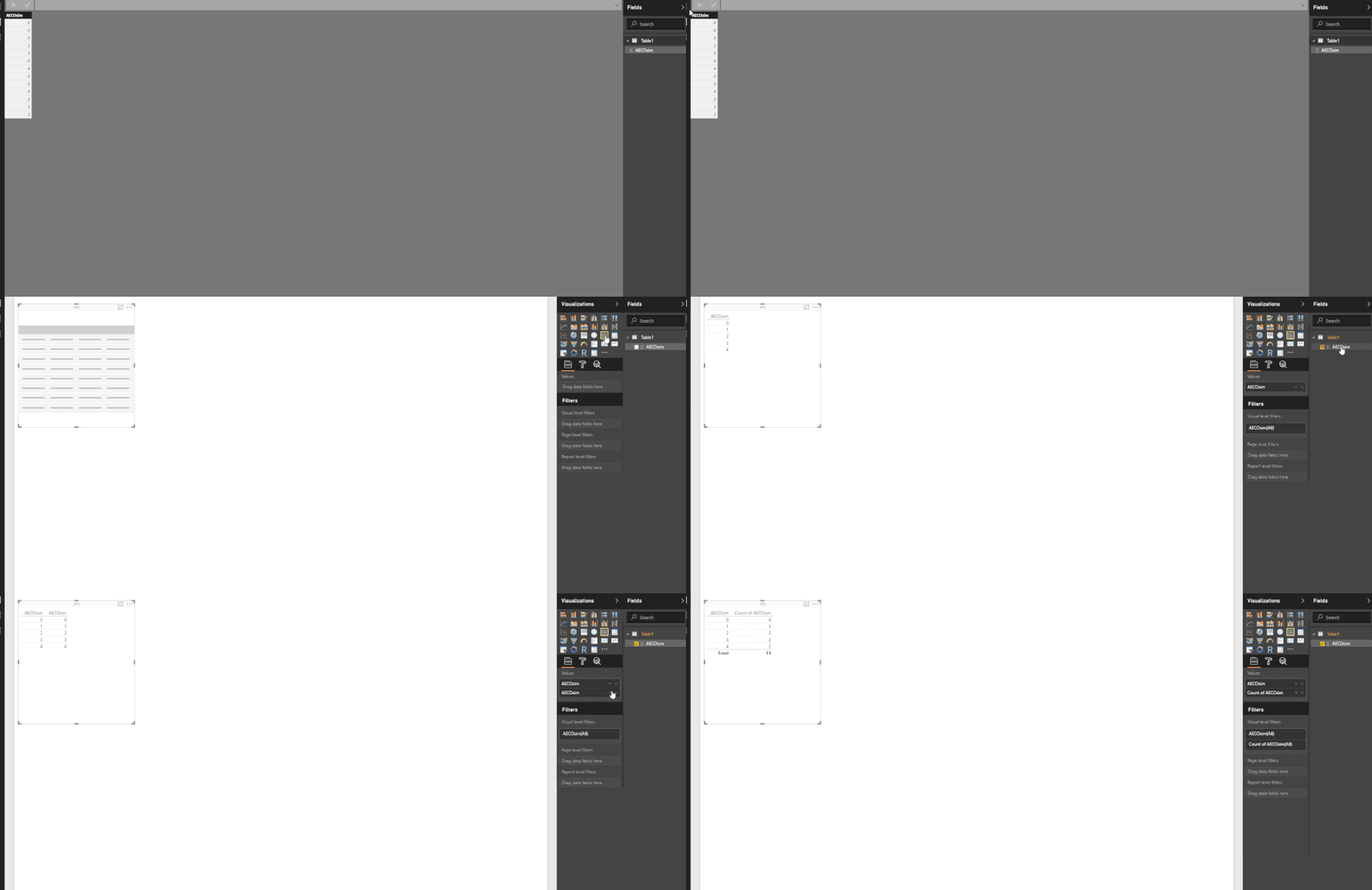
I have created a sample table based on your example and I have created a measure COUNT(Table1[AECOsim]).
Plot this on matrix, it gives exactly the same output which you required.
I hope it helps you. If yes please accept it as solution.
Cheers,
Anupam
With us new people (comment in general) it would be nice to show screen shots of workflow, or link to video showing process. I am a very visually driven fellow, and just seeing this code, I am not sure what to or how to apply it.
Thank You!
Thank you ever so much!!! exactly what i am looking for!!!!
Check out the April 2026 Power BI update to learn about new features.
If you have recently started exploring Fabric, we'd love to hear how it's going. Your feedback can help with product improvements.
A new Power BI DataViz World Championship is coming this June! Don't miss out on submitting your entry.
| User | Count |
|---|---|
| 43 | |
| 35 | |
| 35 | |
| 21 | |
| 15 |
| User | Count |
|---|---|
| 64 | |
| 59 | |
| 29 | |
| 27 | |
| 25 |