Join us at FabCon Atlanta from March 16 - 20, 2026, for the ultimate Fabric, Power BI, AI and SQL community-led event. Save $200 with code FABCOMM.
Register now!The Power BI Data Visualization World Championships is back! Get ahead of the game and start preparing now! Learn more
Hello,
The scatter chart below is not depicting my expected results.
I would like that the Axe X respect the ordertime of the day
I find how to order by in the reght up coin but i have 8:00 and 7:00 between 20:00 and 22:00 why 🙂
It isnt the cas as i start to create the shart whitouth the legend but i don't knw the link and i need this information
Here my pbix
https://1drv.ms/u/s!AoqtZHsX4Bzvg-8aq7aDal1l8xBZIg?e=WpRLge
thanks
Solved! Go to Solution.
Hi @nicolast29
The data has lots of blanks in it. If you look at a matrix
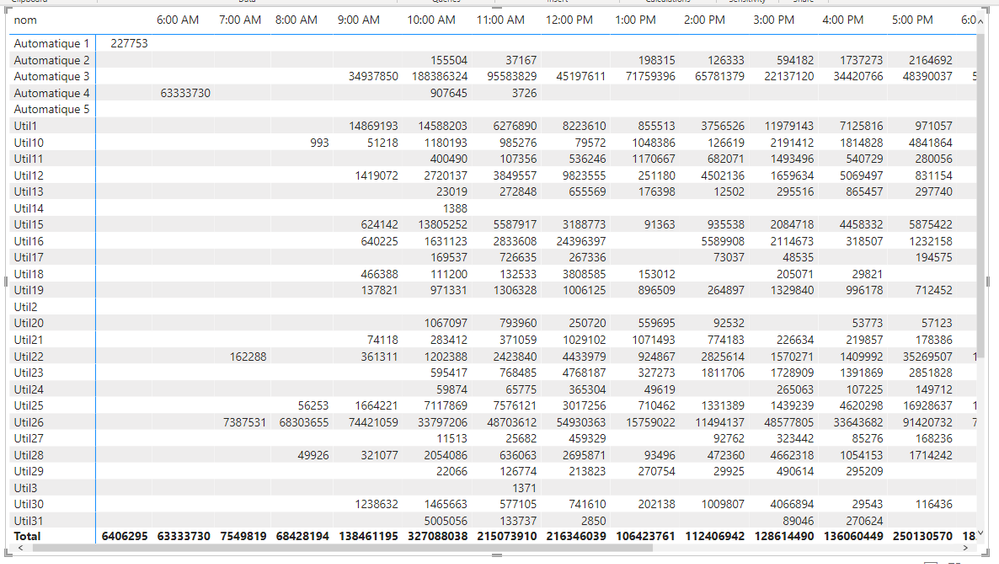
You can see where there are no values for certain combinations of nom and heure.
When you plot this, it's messing up the scatter chart. On the scatter chart Y-axis, you can turn on Show blank values
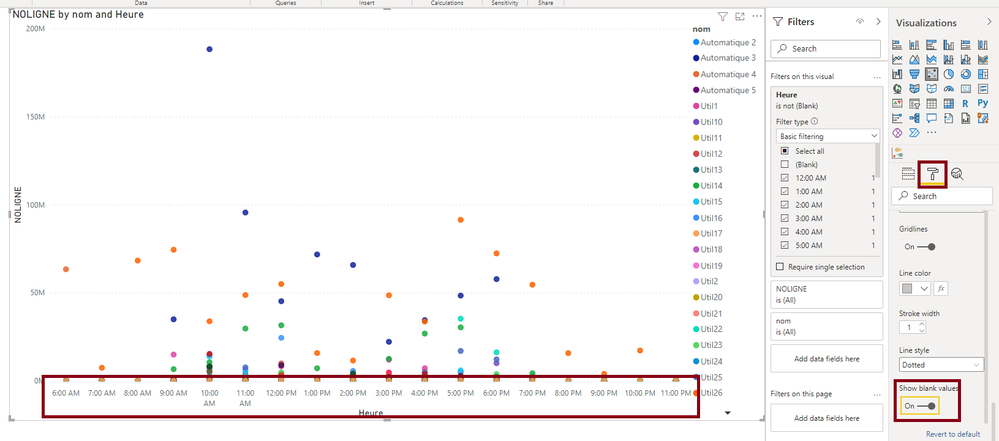
Additionally, your Table_heure is missing a row for midnight. I've added this in the file linked above.
Regards
Phil
Proud to be a Super User!
Hi Phil
thanks a lot, it is so great when you know why !
Have a nice day
Hi @nicolast29
The data has lots of blanks in it. If you look at a matrix
You can see where there are no values for certain combinations of nom and heure.
When you plot this, it's messing up the scatter chart. On the scatter chart Y-axis, you can turn on Show blank values
Additionally, your Table_heure is missing a row for midnight. I've added this in the file linked above.
Regards
Phil
Proud to be a Super User!
The Power BI Data Visualization World Championships is back! Get ahead of the game and start preparing now!
| User | Count |
|---|---|
| 39 | |
| 38 | |
| 38 | |
| 28 | |
| 27 |
| User | Count |
|---|---|
| 124 | |
| 88 | |
| 73 | |
| 66 | |
| 65 |