Get certified for free when you join Fabric Data Days 2026 and dive into Fabric, Power BI, SQL, AI, and other essential data skills.
Join nowJuly 7 - July 17 | Round 2 of the Power BI Dataviz World Championships. Don't miss your chance! Learn more
Hello,
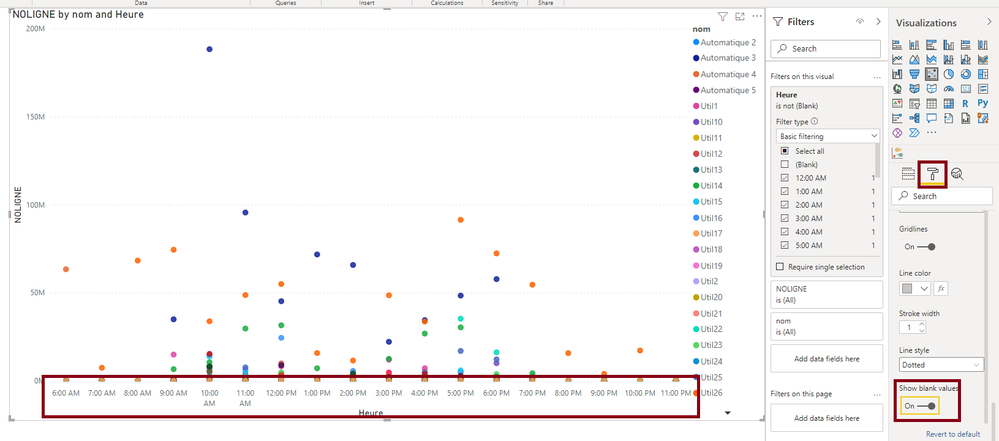
The scatter chart below is not depicting my expected results.
I would like that the Axe X respect the ordertime of the day
I find how to order by in the reght up coin but i have 8:00 and 7:00 between 20:00 and 22:00 why 🙂
It isnt the cas as i start to create the shart whitouth the legend but i don't knw the link and i need this information
Here my pbix
https://1drv.ms/u/s!AoqtZHsX4Bzvg-8aq7aDal1l8xBZIg?e=WpRLge
thanks
Solved! Go to Solution.
Hi @nicolast29
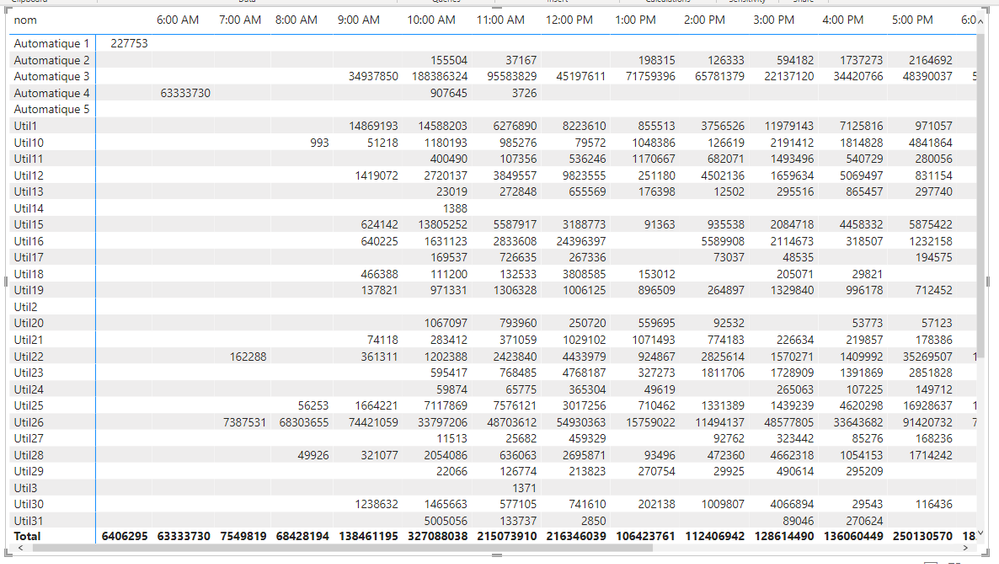
The data has lots of blanks in it. If you look at a matrix
You can see where there are no values for certain combinations of nom and heure.
When you plot this, it's messing up the scatter chart. On the scatter chart Y-axis, you can turn on Show blank values
Additionally, your Table_heure is missing a row for midnight. I've added this in the file linked above.
Regards
Phil
Proud to be a Super User!
Hi Phil
thanks a lot, it is so great when you know why !
Have a nice day
Hi @nicolast29
The data has lots of blanks in it. If you look at a matrix
You can see where there are no values for certain combinations of nom and heure.
When you plot this, it's messing up the scatter chart. On the scatter chart Y-axis, you can turn on Show blank values
Additionally, your Table_heure is missing a row for midnight. I've added this in the file linked above.
Regards
Phil
Proud to be a Super User!
Join us in Barcelona for FabCon and SQLCon, the Fabric, Power BI, SQL, and AI community event. Save €200 with code FABCMTY200.
Join Fabric Data Days 2026: 60 days of free live/on-demand sessions, challenges, study groups, and certification opportunities.
| User | Count |
|---|---|
| 22 | |
| 22 | |
| 18 | |
| 17 | |
| 13 |
| User | Count |
|---|---|
| 63 | |
| 50 | |
| 46 | |
| 41 | |
| 39 |