cancel
Showing results for 
Search instead for 
Did you mean: 

July 7 - July 17 | Round 2 of the Power BI Dataviz World Championships. Don't miss your chance! Learn more

Reply
jcooksnappy1
New Member

Prior Period Comparative Dynamic Date Range

Dear PowerBI Community,


I have a very simple table which includes UNITS, and REVENUE but have applied a date range filter to the data. 


I would like to add a supplementary column to the table which takes into account the prior periods date. 


For example, if the date range is 1st Oct 17 - 30th Oct 18, then the prior period comparative would be 1st Oct 16 - 30th Oct 2017, so the year before. If the date range is shorten the range would alter accodingly.


I have a simple DATE table which shows Date, Month, and Year.


I have attempted a number of SAMEPERIODLASTYEAR, DATEADD but had little success.


Any help would be appreciated.

1 ACCEPTED SOLUTION

Lets try this way


Prior Year Revenue = CALCULATE(sum(Revenue[total_net_lc(exvat)]),DATEADD(Dates[Date],-1,YEAR))

View solution in original post

4 REPLIES 4
rafaelmpsantos
Responsive Resident
Responsive Resident

Can you send a data example? 

Dear Rafael - thanks for a reponse. Apologies I should have addedd sample data to the original post.


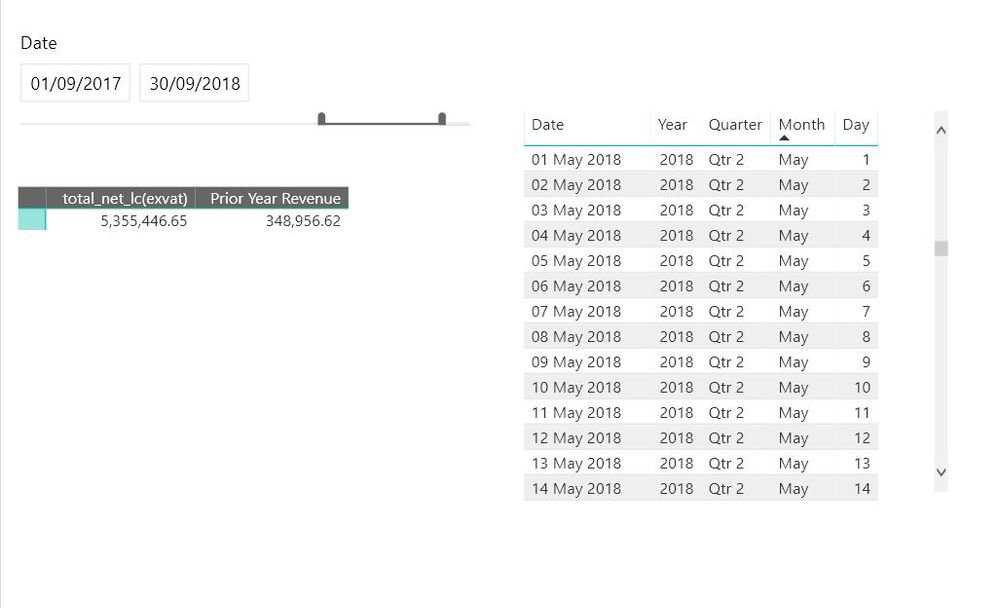
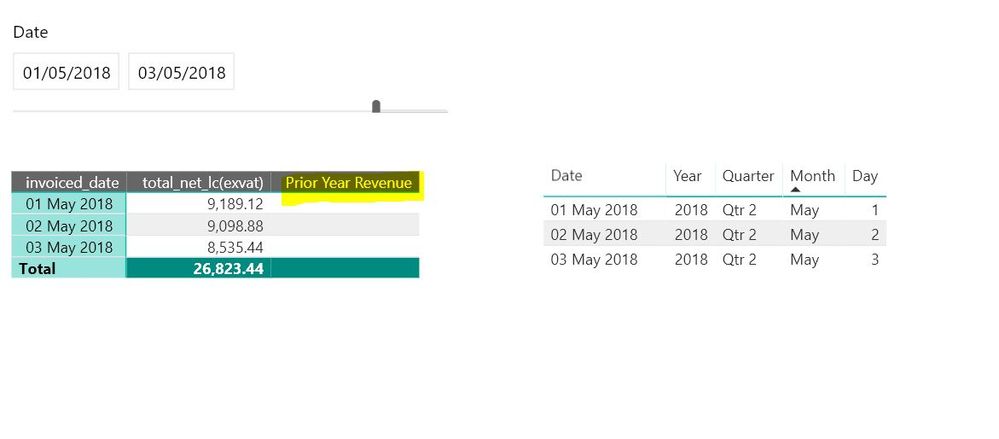
There are two tables - ''Dates'', and ''Revenue'' and the only relationship is the link between invoiced_date on the revenue table, and Date on the DATES table. An example of the content of each can be seen in the first screen grab.


When I toggle on a certain date range I would like the ''PRIOR YEAR REVENUE'' column to populate with the priod year date.


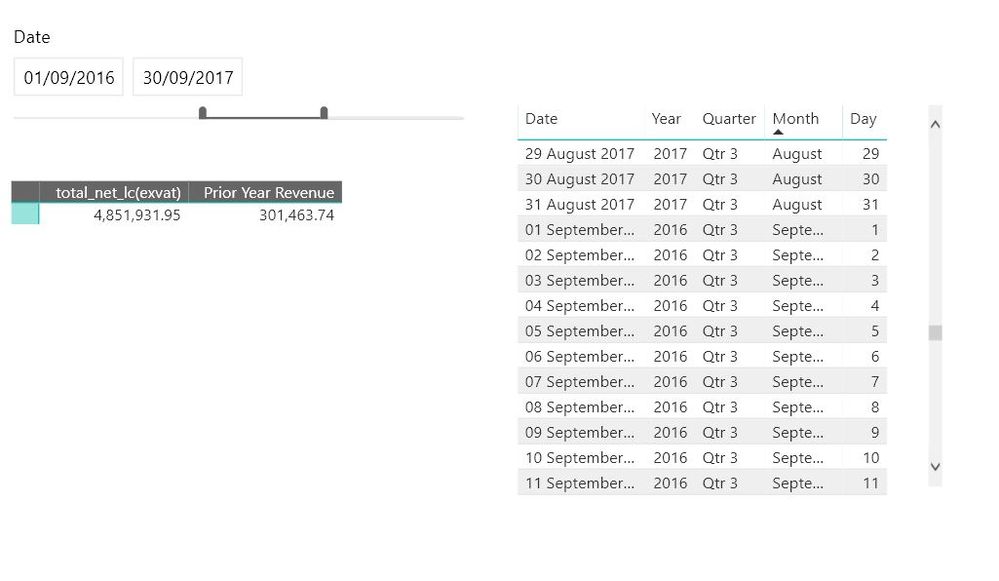
The second screenshot shows a date filter of 1/09/2017 to 30/09/2018 and the revenue for this period is 5,355,336, and I'm struggling to write a DAX formula to populate the PRIOR YEAR REVENUE column (which would be for he period 01/09/16 to 30/09/17). Screen grab 3 shows that the revenue for this period is 4,851,931 and this is the figure I would like to populate.


Currently the DAX formula being used is Prior Year Revenue = CALCULATE(sum(Revenue[total_net_lc(exvat)]),FILTER(Dates,Dates[Date] <= MAX(Revenue[invoiced_date])-364)) which is not giving the desired response. 


Any suggestions?
Capture1.JPGCapture3.JPGCapture4.JPG


Lets try this way


Prior Year Revenue = CALCULATE(sum(Revenue[total_net_lc(exvat)]),DATEADD(Dates[Date],-1,YEAR))

Thanks Rafael, I seemed to be going round in circles. Appreciate your help - TY!

Helpful resources

Announcements
FabCon and SQLCon Barcelona 2026

FabCon & SQLCon – Barcelona 2026

Join us in Barcelona for FabCon and SQLCon, the Fabric, Power BI, SQL, and AI community event. Save €200 with code FABCMTY200.

60 days of Data Days Carousel

Data Days 2026

Join Fabric Data Days 2026: 60 days of free live/on-demand sessions, challenges, study groups, and certification opportunities.

Power BI DataViz World Championships carousel

Power BI DataViz World Championships - June 2026

A new Power BI DataViz World Championship is coming this June! Don't miss out on submitting your entry.