This time we’re going bigger than ever. Fabric, Power BI, SQL, AI and more. We're covering it all. You won't want to miss it.
Learn moreDid you hear? There's a new SQL AI Developer certification (DP-800). Start preparing now and be one of the first to get certified. Register now
Hello All,
I created a Power BI Report with RLS, so that the logged in user can see only his records in the report. I tried everything from this link. After validating the role within Power BI service, the report works when i test the data as role. But when I go to the work space and click on the report link it does nor work as expected. It does not filter the recoeds based on logged in user. I tried publishing the report to a SharePoint Online page. It doesnt work there either. Please let me know where i am going wrong.
Solved! Go to Solution.
Hi @Snighdha
Try to change the workspace privacy (Edit Workspace option) to "Members can only view Power BI content".
Regards
BILASolution
Hi @Snighdha
Try to change the workspace privacy (Edit Workspace option) to "Members can only view Power BI content".
Regards
BILASolution
Hi @BILASolution,
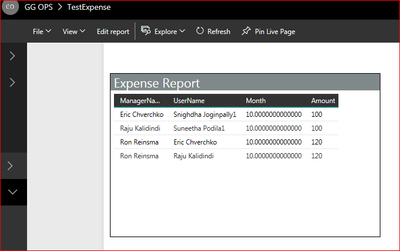
Thnak you fo rthe reply. I edited worspace and changed the privacy option to "Members can only view Power BI content", but still all the records. Please see below screen shot -
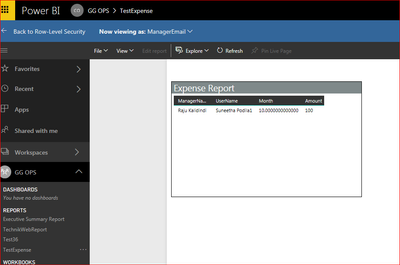
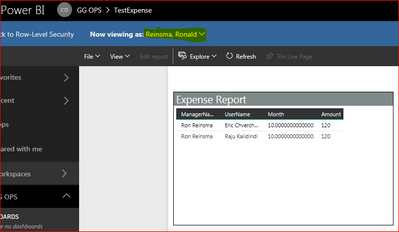
Where as when I test as role I see correct data. Please see screen shot below -
Yes. Users are added to the role and I tested the role with different user's name and it works.
Check out the April 2026 Power BI update to learn about new features.
Sign up to receive a private message when registration opens and key events begin.
If you have recently started exploring Fabric, we'd love to hear how it's going. Your feedback can help with product improvements.
| User | Count |
|---|---|
| 34 | |
| 31 | |
| 25 | |
| 20 | |
| 16 |
| User | Count |
|---|---|
| 61 | |
| 49 | |
| 28 | |
| 23 | |
| 23 |