Join us at FabCon Atlanta from March 16 - 20, 2026, for the ultimate Fabric, Power BI, AI and SQL community-led event. Save $200 with code FABCOMM.
Register now!Get Fabric Certified for FREE during Fabric Data Days. Don't miss your chance! Request now
Hi all! I'm using Version: 2.109.1021.0 64-bit (September 2022), and I'm trying to add the "Power Automate" visual. It doesn't seem to be available, however. Has it been renamed or retired?
I'm trying to create a button for the end user to export to Excel -- is there a different visual/approach I can use to do that?
Thanks for your help!
I have he same issue, on Version: 2.109.1021.0 64-bit (September 2022). All the YoutTube videos and websites I've read mention a min version level of Aptil 2021, but this visualisation seems to only exist in those video's and screenshots..... Even microsoft's official guide does not mention any minimum version required?
I simply get a 404 page when trying to load links to the AppSource page everyone refers to here:
https://go.microsoft.com/fwlink/?linkid=2160902
which resolves to:
https://appsource.microsoft.com/en-AU/product/power-bi-visuals/WA200002803?tab=Overview&exp=kyyw
It seems crazy that this visualsation seems to have dissappeared off the face of the internet leaving no trace but some references to it.......?
EDIT: Ok, so I downloaded the newest version and it had it, so in a last ditch attempt I found the pbiviz file here and installed it and it is not compltible with Sep 2022 😞 Why can't AppSource just show that?
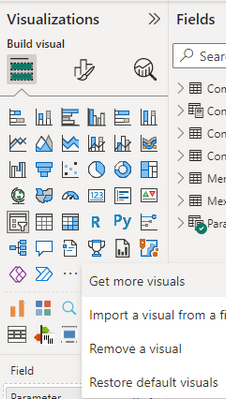
It's very much there. Click on "Restore Default visuals" you will get that back.
Regards
Ismail
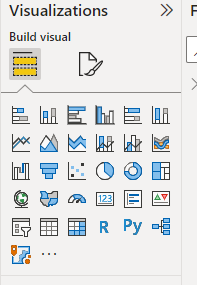
Unfortunately that didn't work: here's what I have (after "Restore Default Visuals" then restarting Power BI):
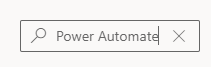
I then go to "Get More Visuals":
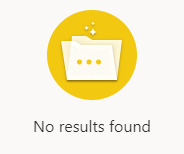
...and sadly:
I also don't see Power Apps visual there. Perhaps you can try updating your PBI Dekstop to latest version ?
Unfortunately that's not an option right now -- our business likes to stay on prior versions for stability reasons. I'd seen references to the Power Automate (Flow?) visual in Youtube tutorials dating back to late 2021, so I figured the September 2022 would've had it.
I appreicate your help here, thank you!
Check out the November 2025 Power BI update to learn about new features.
Advance your Data & AI career with 50 days of live learning, contests, hands-on challenges, study groups & certifications and more!