Get certified for free when you join Fabric Data Days 2026 and dive into Fabric, Power BI, SQL, AI, and other essential data skills.
Join nowData Days is here! Join us now for 60+ days of learning, challenges, and connection. Learn more
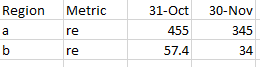
I have an excel file that looks as follows:
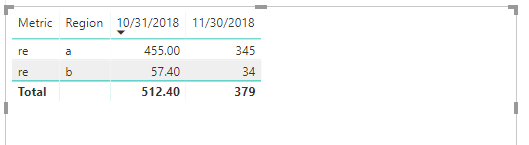
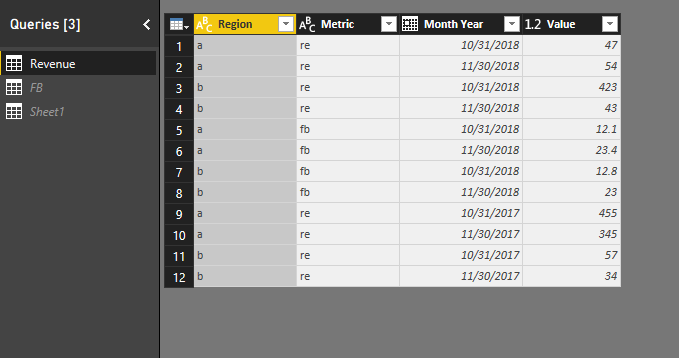
When i refresh it in power bi, it automatically gets rounded off as follows: (Region b- metric re - 31st oct: 57.4)
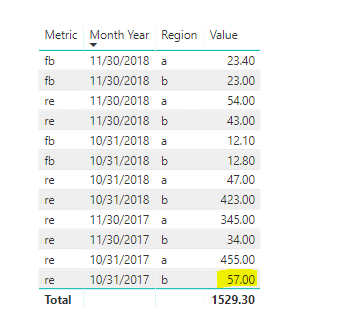
The value column is a decimal number only :
I do not want the numbers to round off and refresh as it is. What can be done?
Thanks!
Hi @Anonymous,
Based on my test, I cannoy reproduce your issue here by using the latest version of Power BI dekstop :2.63.3272.40161 64-bit (October 2018).
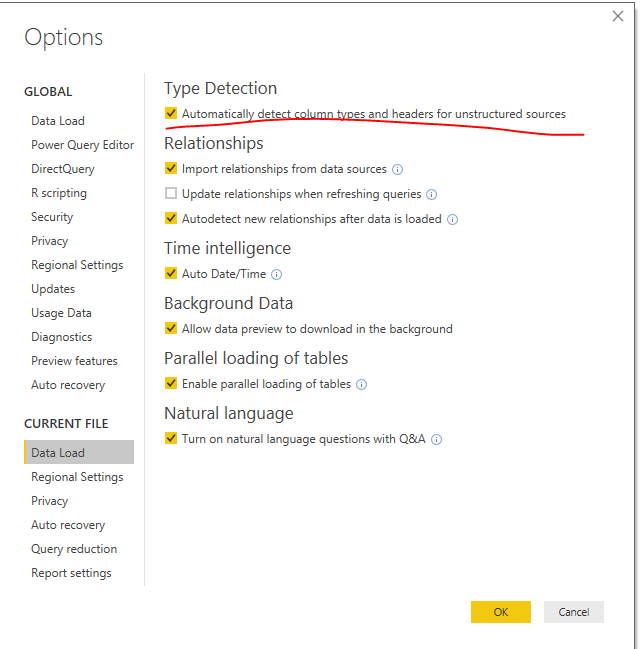
Could you please update your Power BI desktop and turn the option off to try again?
Regards,
Frank
Hi @Anonymous,
Has your issue been solved? If any question, feel free to let me know please.
Regards,
Frank
Could you be rounding the numbers in the query editor?
@Christann Oh i am not sure. I did not do anything special in the query editor
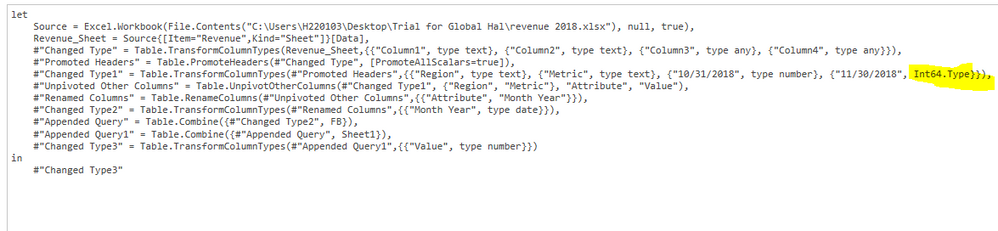
Is it the highlighted part? I'm not sure if i have to change anything or to what to change anything to
I am not sure what would be wrong then. I would suggest that you try contacting Microsoft PowerBI Support on this question.
Don't miss out on Data Days, June 15 through August 7. Learn Fabric, Power BI, SQL, AI and more.
Check out the May 2026 Power BI update to learn about new features.
| User | Count |
|---|---|
| 22 | |
| 21 | |
| 20 | |
| 19 | |
| 13 |
| User | Count |
|---|---|
| 58 | |
| 52 | |
| 37 | |
| 31 | |
| 27 |