cancel
Showing results for 
Search instead for 
Did you mean: 

We've captured the moments from FabCon & SQLCon that everyone is talking about, and we are bringing them to the community, live and on-demand. Starts on April 14th. Register now

Reply
Anonymous
Not applicable

Numbers get rounded off

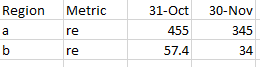
I have an excel file that looks as follows:


Rounding off 1.PNG


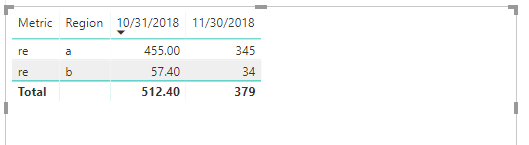
When i refresh it in power bi, it automatically gets rounded off as follows: (Region b- metric re - 31st oct: 57.4)


Rounding off 2.PNG

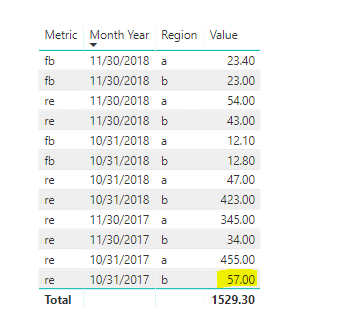
The value column is a decimal number only :

Rounding off 3.PNG


I do not want the numbers to round off and refresh as it is. What can be done?


Thanks!

5 REPLIES 5
v-frfei-msft
Community Support
Community Support

Hi @Anonymous,


Based on my test, I cannoy reproduce your issue here by using the latest version of Power BI dekstop :2.63.3272.40161 64-bit (October 2018).


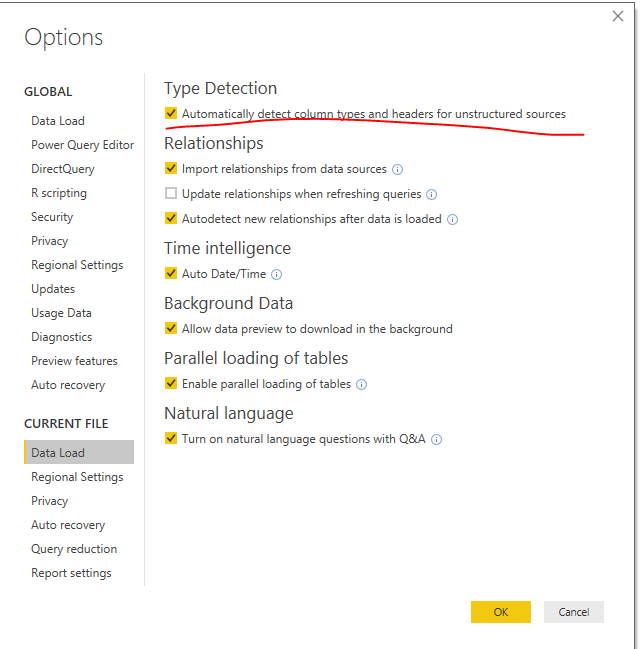
Could you please update your Power BI desktop and turn the option off to try again?


Capture.PNG2.PNG


Regards,

Frank

Community Support Team _ Frank
If this post helps, then please consider Accept it as the solution to help the others find it more quickly.

Hi @Anonymous,


Has your issue been solved? If any question, feel free to let me know please.


Regards,

Frank

Community Support Team _ Frank
If this post helps, then please consider Accept it as the solution to help the others find it more quickly.
Christann
Advocate IV
Advocate IV

Could you be rounding the numbers in the query editor?

Anonymous
Not applicable

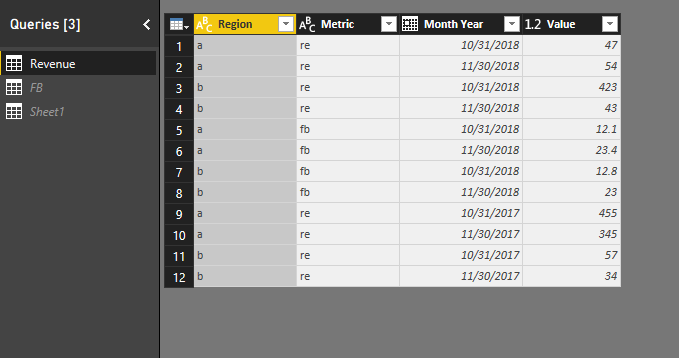
@Christann Oh i am not sure. I did not do anything special in the query editor


Rounding off 4.PNG


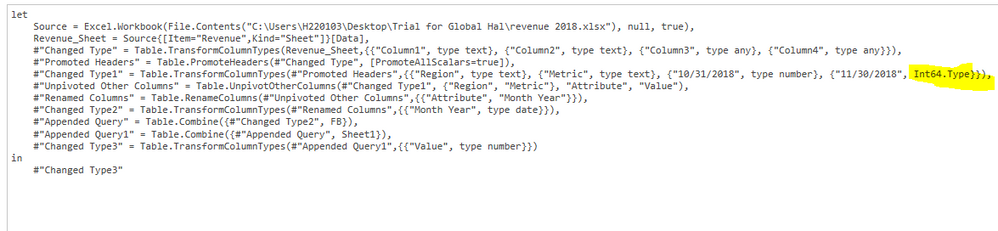
Rounding off 5.PNG


Is it the highlighted part? I'm not sure if i have to change anything or to what to change anything to

I am not sure what would be wrong then. I would suggest that you try contacting Microsoft PowerBI Support on this question.

Helpful resources

Announcements
New to Fabric survey Carousel

New to Fabric Survey

If you have recently started exploring Fabric, we'd love to hear how it's going. Your feedback can help with product improvements.

Power BI DataViz World Championships carousel

Power BI DataViz World Championships - June 2026

A new Power BI DataViz World Championship is coming this June! Don't miss out on submitting your entry.

Join our Fabric User Panel

Join our Fabric User Panel

Share feedback directly with Fabric product managers, participate in targeted research studies and influence the Fabric roadmap.

March Power BI Update Carousel

Power BI Community Update - March 2026

Check out the March 2026 Power BI update to learn about new features.