This time we’re going bigger than ever. Fabric, Power BI, SQL, AI and more. We're covering it all. You won't want to miss it.
Learn moreDid you hear? There's a new SQL AI Developer certification (DP-800). Start preparing now and be one of the first to get certified. Register now
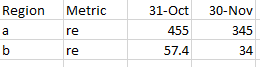
I have an excel file that looks as follows:
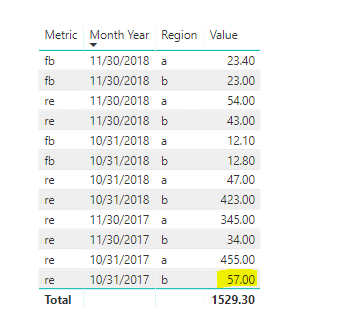
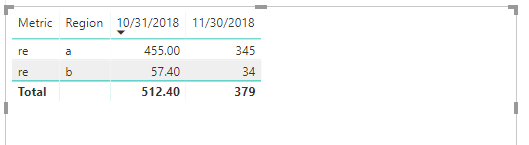
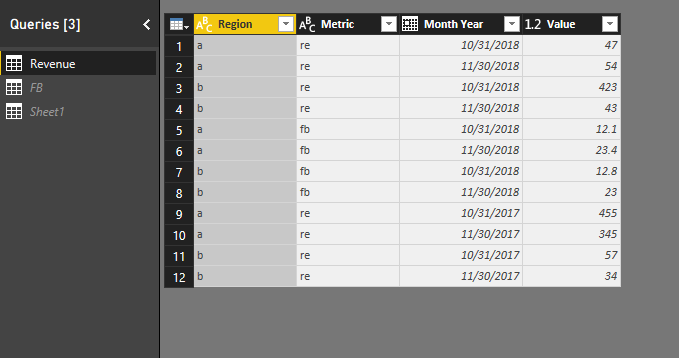
When i refresh it in power bi, it automatically gets rounded off as follows: (Region b- metric re - 31st oct: 57.4)
The value column is a decimal number only :
I do not want the numbers to round off and refresh as it is. What can be done?
Thanks!
Hi @Anonymous,
Based on my test, I cannoy reproduce your issue here by using the latest version of Power BI dekstop :2.63.3272.40161 64-bit (October 2018).
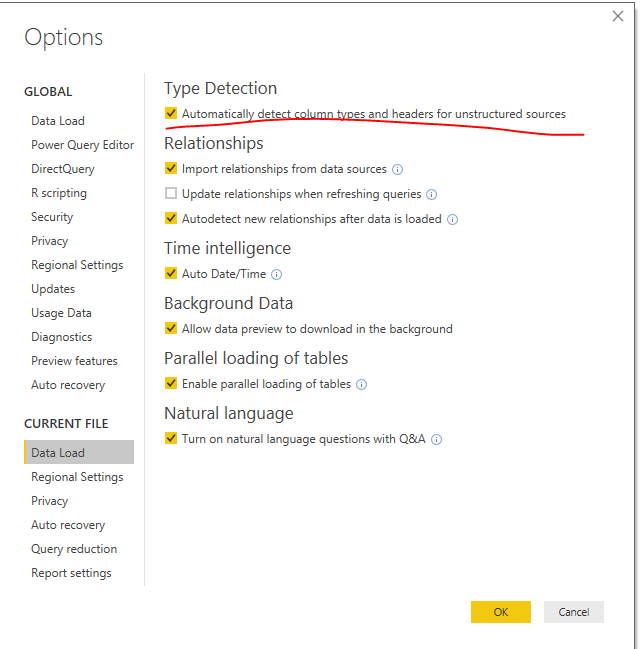
Could you please update your Power BI desktop and turn the option off to try again?
Regards,
Frank
Hi @Anonymous,
Has your issue been solved? If any question, feel free to let me know please.
Regards,
Frank
Could you be rounding the numbers in the query editor?
@Christann Oh i am not sure. I did not do anything special in the query editor
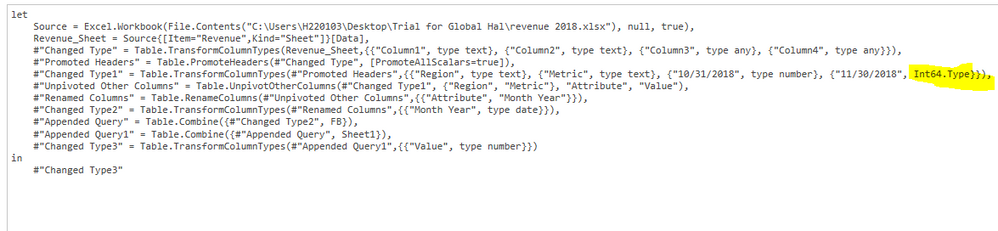
Is it the highlighted part? I'm not sure if i have to change anything or to what to change anything to
I am not sure what would be wrong then. I would suggest that you try contacting Microsoft PowerBI Support on this question.
Check out the April 2026 Power BI update to learn about new features.
Sign up to receive a private message when registration opens and key events begin.
If you have recently started exploring Fabric, we'd love to hear how it's going. Your feedback can help with product improvements.
| User | Count |
|---|---|
| 35 | |
| 32 | |
| 25 | |
| 23 | |
| 16 |
| User | Count |
|---|---|
| 65 | |
| 50 | |
| 30 | |
| 24 | |
| 23 |