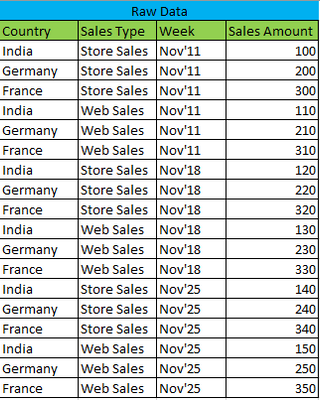
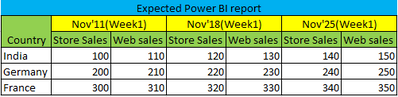
You canuse a simple matrix visual with two measures. First, set up dimension tables for Country and Sales Type using the follwoing pattern in new tables:
Country Table =
DISTINCT(fTable[Country])
Set up a period dimension table using the follwoing:
Period Table =
ADDCOLUMNS(
    DISTINCT(
        fTable[Week]),
        "WeekNum", VALUE(RIGHT(fTable[Week], 2)))
You need the WeekNum field to sort the Week field by:
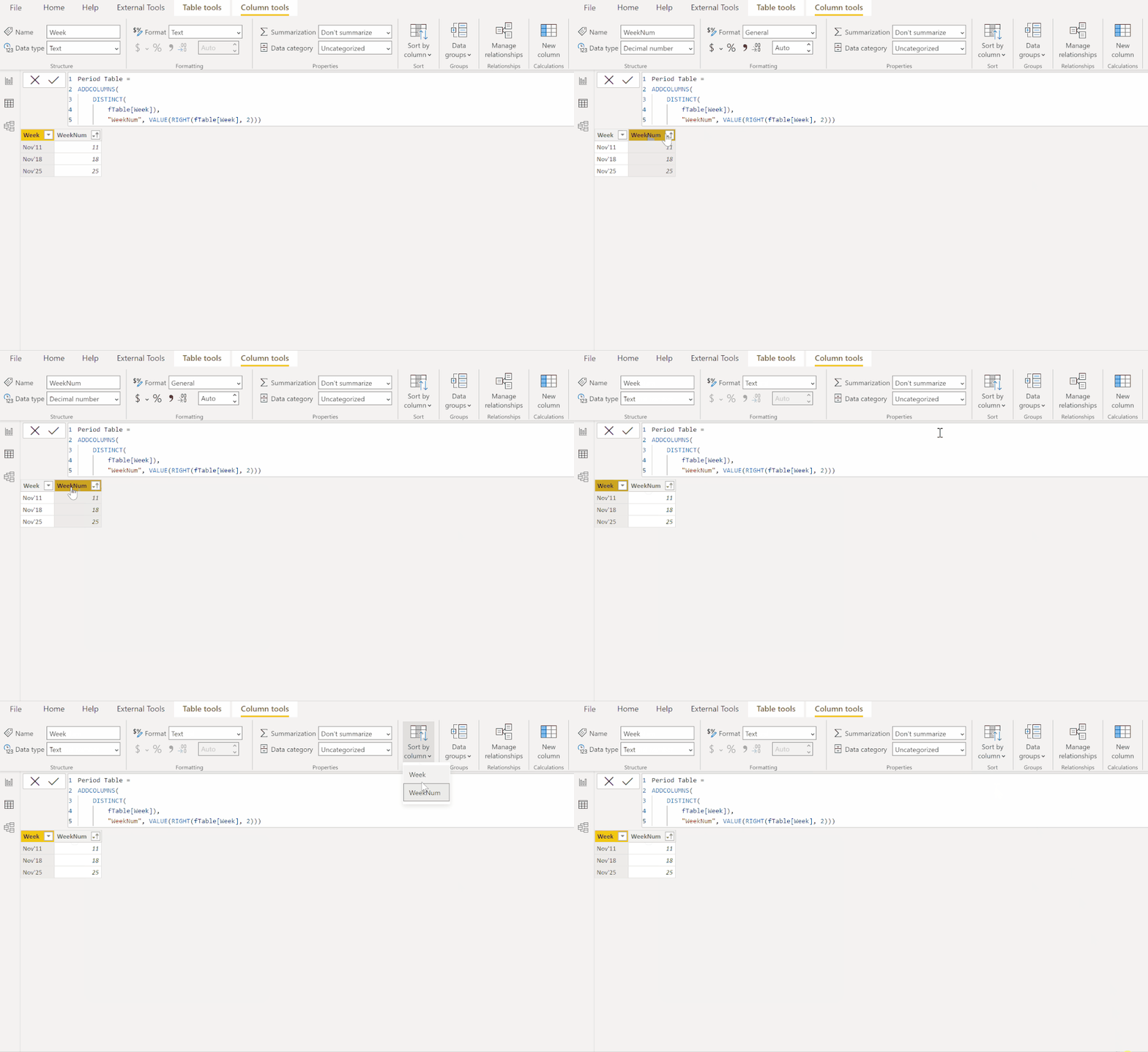 Set up the model using one-to-many, single direction relationships between the dimension tables and the corresponding fields in the fact table:

Create the following two measures for the values bucket in the matrix visual:
Store Sales =
CALCULATE (
    SUM ( fTable[Sales Amount] ),
    FILTER ( 'Sales Type Table', 'Sales Type Table'[Sales Type] = "Store Sales" )
)
Web Sales =
CALCULATE (
    SUM ( fTable[Sales Amount] ),
    FILTER ( 'Sales Type Table', 'Sales Type Table'[Sales Type] = "Web Sales" )
)
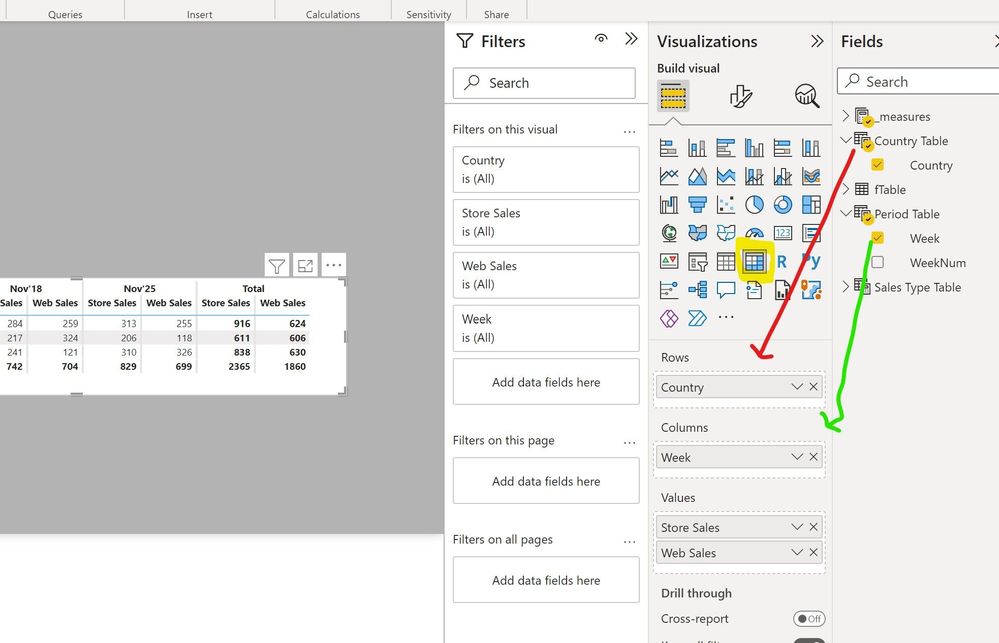
Now you can set up the matrix as follows:

Sample PBIX file attached
Did I answer your question? Mark my post as a solution!In doing so, you are also helping me. Thank you! Proud to be a Super User!
Paul on Linkedin.