This time we’re going bigger than ever. Fabric, Power BI, SQL, AI and more. We're covering it all. You won't want to miss it.
Learn moreLevel up your Power BI skills this month - build one visual each week and tell better stories with data! Get started
Hi,
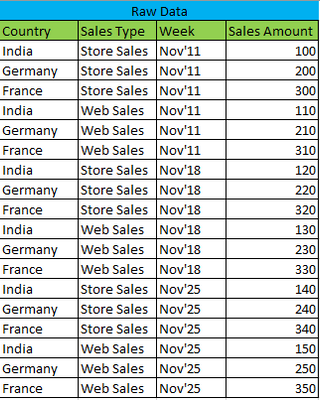
I have data in the below format.
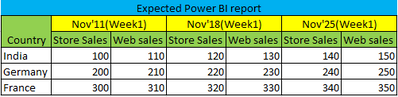
I want the report in the below format.
Do we have any visuals which report in this format?
Thanks in advance!
Solved! Go to Solution.
Hi, @vinothkumar1990
The matrix view achieves the results you expect.
No additional calculations are required.
Best Regards,
Community Support Team _Charlotte
If this post helps, then please consider Accept it as the solution to help the other members find it more quickly.
You canuse a simple matrix visual with two measures. First, set up dimension tables for Country and Sales Type using the follwoing pattern in new tables:
Country Table =
DISTINCT(fTable[Country])
Set up a period dimension table using the follwoing:
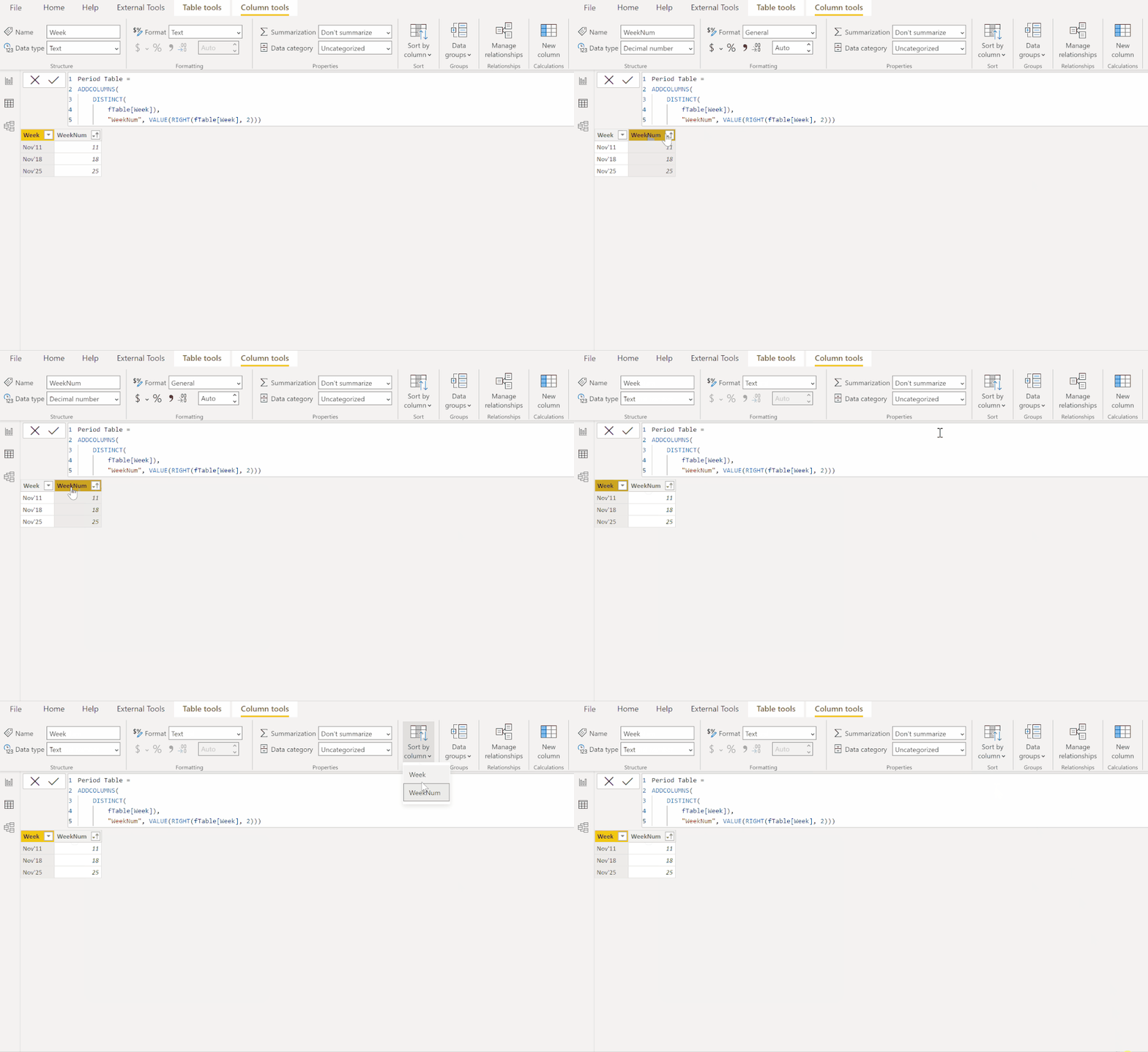
Period Table =
ADDCOLUMNS(
DISTINCT(
fTable[Week]),
"WeekNum", VALUE(RIGHT(fTable[Week], 2)))
You need the WeekNum field to sort the Week field by:
Set up the model using one-to-many, single direction relationships between the dimension tables and the corresponding fields in the fact table:
Create the following two measures for the values bucket in the matrix visual:
Store Sales =
CALCULATE (
SUM ( fTable[Sales Amount] ),
FILTER ( 'Sales Type Table', 'Sales Type Table'[Sales Type] = "Store Sales" )
)
Web Sales =
CALCULATE (
SUM ( fTable[Sales Amount] ),
FILTER ( 'Sales Type Table', 'Sales Type Table'[Sales Type] = "Web Sales" )
)
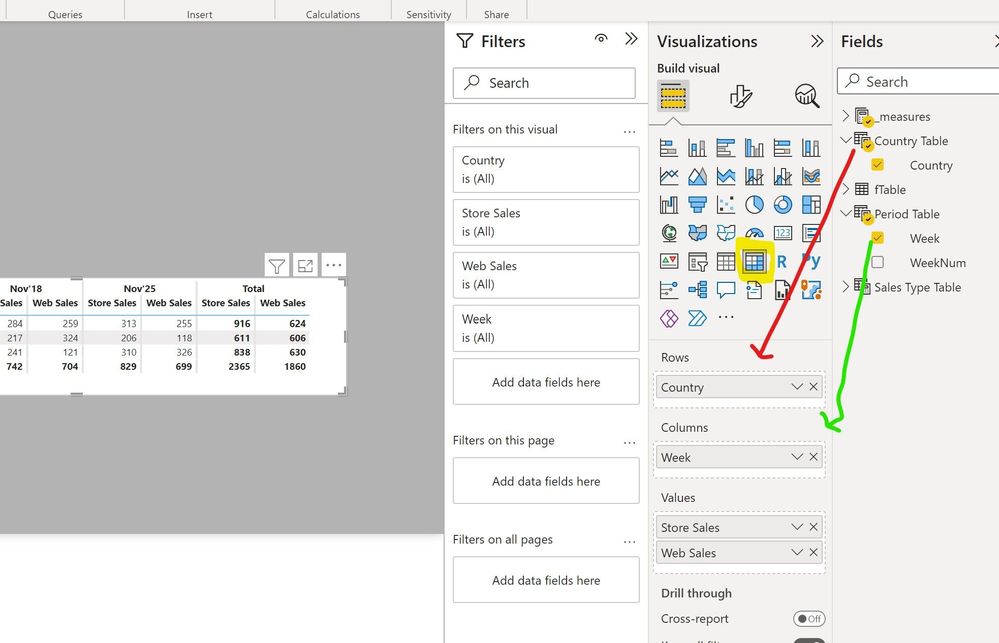
Now you can set up the matrix as follows:
Sample PBIX file attached
Proud to be a Super User!
Paul on Linkedin.
It worked. Thanks!
Check out the April 2026 Power BI update to learn about new features.
Sign up to receive a private message when registration opens and key events begin.
If you have recently started exploring Fabric, we'd love to hear how it's going. Your feedback can help with product improvements.
| User | Count |
|---|---|
| 35 | |
| 32 | |
| 26 | |
| 21 | |
| 18 |
| User | Count |
|---|---|
| 68 | |
| 37 | |
| 32 | |
| 25 | |
| 23 |