Get certified for free when you join Fabric Data Days 2026 and dive into Fabric, Power BI, SQL, AI, and other essential data skills.
Join nowData Days is here! Join us now for 60+ days of learning, challenges, and connection. Learn more
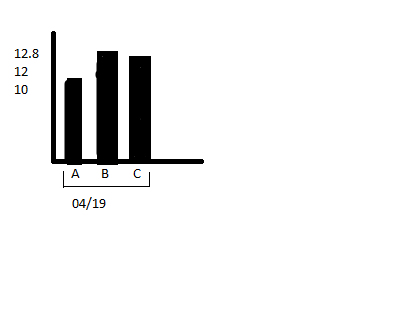
Suppose the data is of the format
TestDate TestName Result
04/19 A 10.6
04/19 B 12.8
04/19 C 12
04/20 D 10
I want to create a chart where the x-axis values will be nested or grouped. Ie, its should have dates and Test names grouped in dates. Y axis should be Result. Below example shows a sample for 04/19 data.
This feature is not available yet.
if you'd like to see it - Vote here
https://ideas.powerbi.com/forums/265200-power-bi-ideas/suggestions/11524623-nested-x-axis-labels
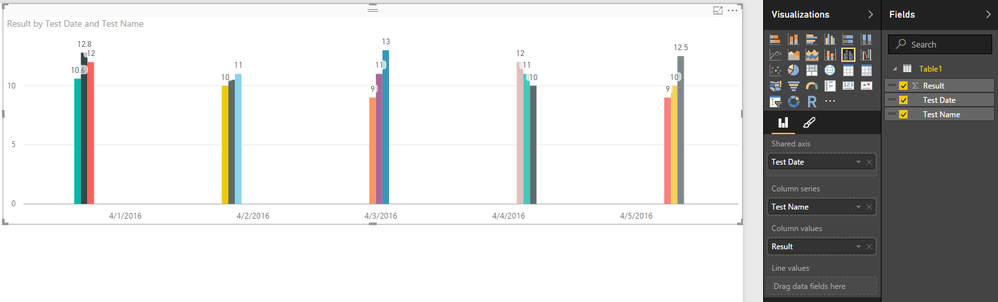
Ok clarification. You actually don't need Nested X-Axis - just do as in image below
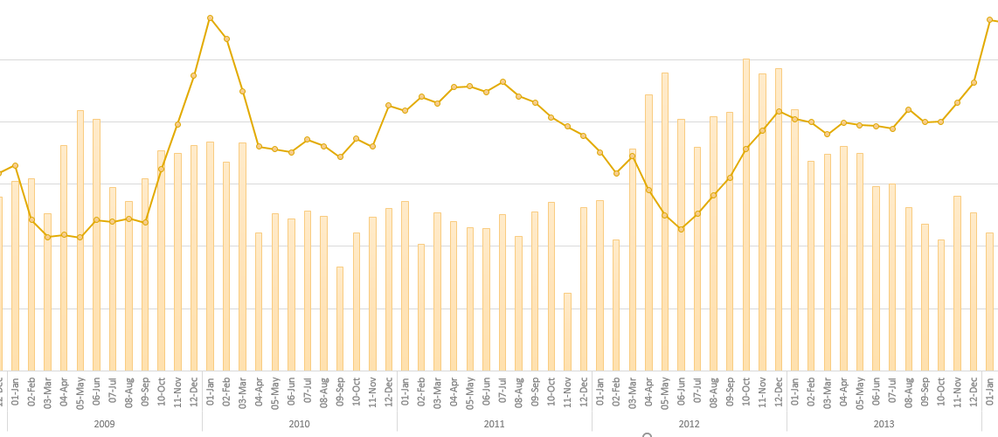
This is what Nested X-Axis and the Idea I posted in previous reply was really about...
That didn't help any... I still get only one line, and one value on the X-Axis. It looks like I'll have to stay with Excel spreadsheets since Power BI doesn't even come close to matching the functionality there at this time.
I cannot find a way to get more than one group to appear on the X axis either and this is a vital missing feature making Power BI much less useful as a result.
I tried to vote on the user voice site but it appears to be broken at the moment:
https://ideas.powerbi.com/forums/265200-power-bi-ideas/suggestions/11524623-nested-x-axis-labels
Yes I agree this is a vital function that has been missed and I whichever way I try to do this I cannot get more than one group to appear on the X axis making Power BI rather limited.
Don't miss out on Data Days, June 15 through August 7. Learn Fabric, Power BI, SQL, AI and more.
Check out the May 2026 Power BI update to learn about new features.
| User | Count |
|---|---|
| 23 | |
| 21 | |
| 20 | |
| 18 | |
| 13 |
| User | Count |
|---|---|
| 58 | |
| 51 | |
| 38 | |
| 31 | |
| 26 |