
Join us at FabCon Atlanta from March 16 - 20, 2026, for the ultimate Fabric, Power BI, AI and SQL community-led event. Save $200 with code FABCOMM.
Register now!Vote for your favorite vizzies from the Power BI Dataviz World Championship submissions. Vote now!
Hello,
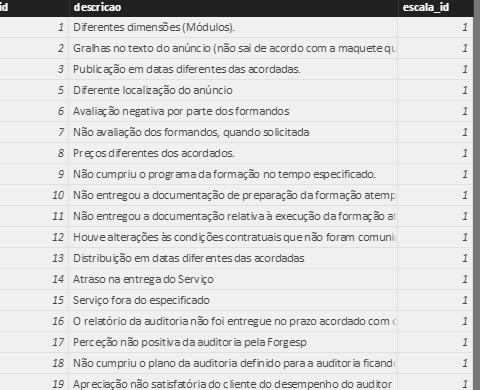
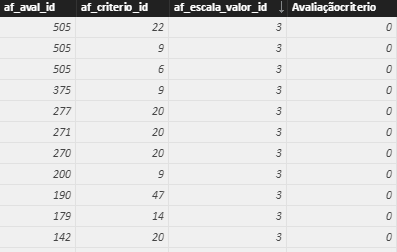
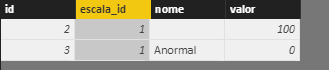
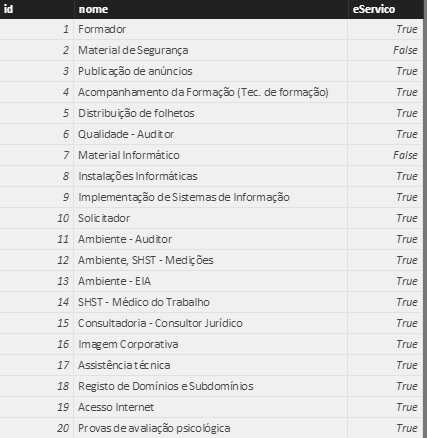
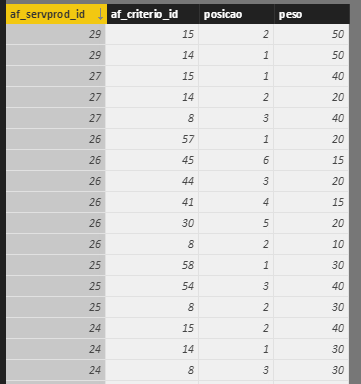
I am having problems with these tables. I need to calculate the (af_escalaItem[valor]*af_servprod_criterios[peso]) for each af_aval_id, but I just can't seem to do this.
Thank you in advance
Solved! Go to Solution.
Hi @v-ljerr-msft,
Thank you so much for the help but using the formula sumx returns the sum of all the values but that is not what I intended. I think this is my solution:
column=RELATED(af_escalaItem[valor]) *
CALCULATE(
VALUES(af_servprod_criterios[peso]),
FILTER(
af_servprod_criterios,
af_avaliacaoItens[af_criterio_id] = af_servprod_criterios[af_criterio_id] &&
RELATED(af_fornecedorAvalia[af_servprod_id]) = af_servprod_criterios[af_servprod_id]
It looks like you might be missing some relationships between tables and you may need some "helper" tables.
So, for example, you would need a table with unique "escala_id" values I think and relate all of your tables with "escala_id" columns to this table. Then, you probably need a table with unique "af_servprod_id" values and relate all of your tables with with "af_servprod_id" columns to this table. Then you would need a table that relates "af_servprod_id"'s to "escala_id"'s. Then, you should be able to create a measure or a custom column in your table with unique "escala_id"'s to do the calculation.
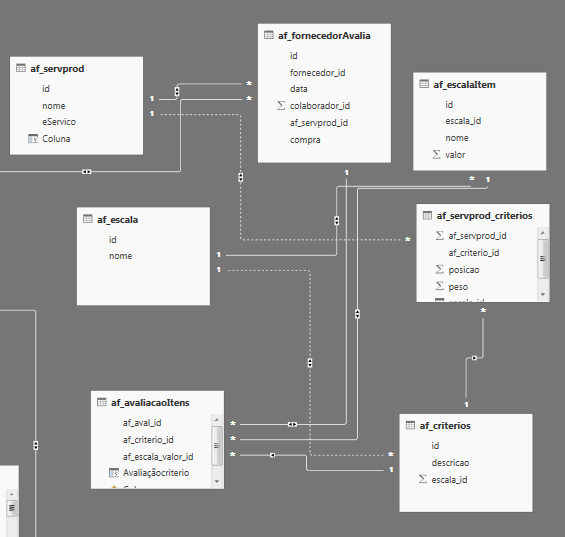
I thought I had those relationships, here is a print of the relationships I made. Do you think there is any missing?
Thank you
Hi @inescosta,
According to the screen shoot of your table relationships above, you should be able to use the formula below to create a new calculate column in "af_avaliacaoItens" table to to calculate the (af_escalaItem[valor]*af_servprod_criterios[peso]) for each af_aval_id.![]()
NewCalculateColumn = RELATED ( af_escalaItem[valor] ) * SUMX ( RELATEDTABLE ( af_servprod_criterios ), af_servprod_criterios[peso] )
Regards
Hi @v-ljerr-msft,
Thank you so much for the help but using the formula sumx returns the sum of all the values but that is not what I intended. I think this is my solution:
column=RELATED(af_escalaItem[valor]) *
CALCULATE(
VALUES(af_servprod_criterios[peso]),
FILTER(
af_servprod_criterios,
af_avaliacaoItens[af_criterio_id] = af_servprod_criterios[af_criterio_id] &&
RELATED(af_fornecedorAvalia[af_servprod_id]) = af_servprod_criterios[af_servprod_id]
Vote for your favorite vizzies from the Power BI World Championship submissions!
If you love stickers, then you will definitely want to check out our Community Sticker Challenge!
Check out the January 2026 Power BI update to learn about new features.
| User | Count |
|---|---|
| 66 | |
| 51 | |
| 42 | |
| 25 | |
| 22 |
| User | Count |
|---|---|
| 139 | |
| 116 | |
| 54 | |
| 37 | |
| 31 |