Learn from the best! Meet the four finalists headed to the FINALS of the Power BI Dataviz World Championships! Register now
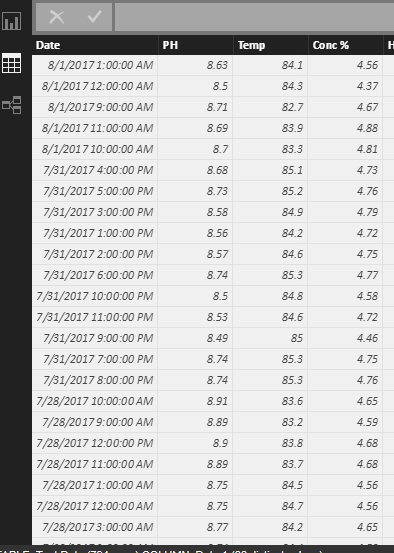
I have mulitple data points (PH, Conc % and Temp) for a machine that is being gathered. I need to chart all of the points at every time interval. There can be up to 13 times a day that the data is being gathered.
Solved! Go to Solution.
Hi @lrockwell,
If I understand you correctly, you should be able to follow steps below to show all the data points on a Line Chart in your scenario.
1. Duplicate the Date column using the formula(Dax) below.
NewDate = Table1[Date]
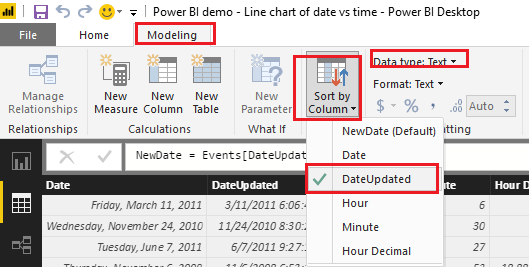
2. Change data type to Text for the new Date column.
3. Sort the new Date column by the original Date column.
4. Then you should be able to show the new Date column as Axis, PH, Conc % and Temp as Values on the Line Chart visual. ![]()
Regards
Hi @lrockwell,
If I understand you correctly, you should be able to follow steps below to show all the data points on a Line Chart in your scenario.
1. Duplicate the Date column using the formula(Dax) below.
NewDate = Table1[Date]
2. Change data type to Text for the new Date column.
3. Sort the new Date column by the original Date column.
4. Then you should be able to show the new Date column as Axis, PH, Conc % and Temp as Values on the Line Chart visual. ![]()
Regards
A new Power BI DataViz World Championship is coming this June! Don't miss out on submitting your entry.
Share feedback directly with Fabric product managers, participate in targeted research studies and influence the Fabric roadmap.
| User | Count |
|---|---|
| 49 | |
| 33 | |
| 33 | |
| 16 | |
| 16 |
| User | Count |
|---|---|
| 60 | |
| 59 | |
| 39 | |
| 25 | |
| 24 |