Join us at FabCon Atlanta from March 16 - 20, 2026, for the ultimate Fabric, Power BI, AI and SQL community-led event. Save $200 with code FABCOMM.
Register now!The Power BI Data Visualization World Championships is back! Get ahead of the game and start preparing now! Learn more
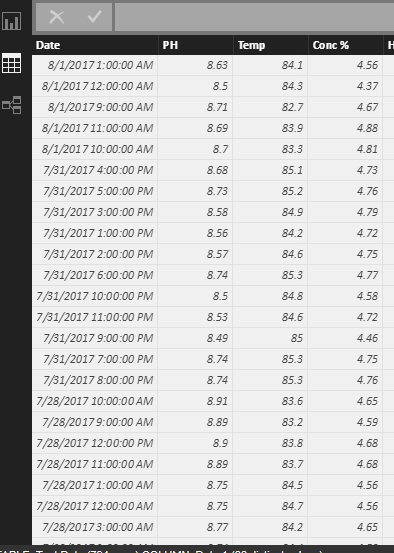
I have mulitple data points (PH, Conc % and Temp) for a machine that is being gathered. I need to chart all of the points at every time interval. There can be up to 13 times a day that the data is being gathered.
Solved! Go to Solution.
Hi @lrockwell,
If I understand you correctly, you should be able to follow steps below to show all the data points on a Line Chart in your scenario.
1. Duplicate the Date column using the formula(Dax) below.
NewDate = Table1[Date]
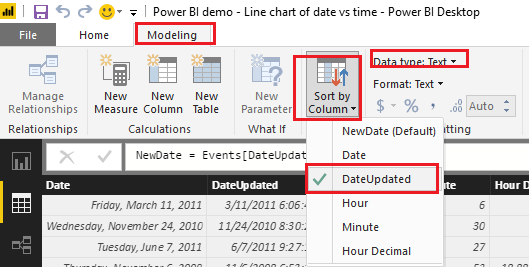
2. Change data type to Text for the new Date column.
3. Sort the new Date column by the original Date column.
4. Then you should be able to show the new Date column as Axis, PH, Conc % and Temp as Values on the Line Chart visual. ![]()
Regards
Hi @lrockwell,
If I understand you correctly, you should be able to follow steps below to show all the data points on a Line Chart in your scenario.
1. Duplicate the Date column using the formula(Dax) below.
NewDate = Table1[Date]
2. Change data type to Text for the new Date column.
3. Sort the new Date column by the original Date column.
4. Then you should be able to show the new Date column as Axis, PH, Conc % and Temp as Values on the Line Chart visual. ![]()
Regards
The Power BI Data Visualization World Championships is back! Get ahead of the game and start preparing now!
| User | Count |
|---|---|
| 45 | |
| 40 | |
| 32 | |
| 30 | |
| 21 |
| User | Count |
|---|---|
| 127 | |
| 125 | |
| 94 | |
| 78 | |
| 65 |