Learn from the best! Meet the four finalists headed to the FINALS of the Power BI Dataviz World Championships! Register now
Hi
I have a query:
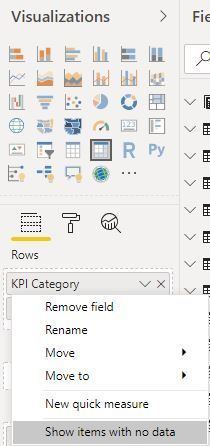
I have used a measure with divide function i am able to get value for that measure but when i want to see for country table dimension some of the rows are missing.
Eg:
Table1[Country]
India
austraila
USA
Germany
spain
Italy
Iran
UK
when i use that measure & country with table chart, some of the countries are missing and not able to report the value for remaining
output is coming like below
Table1[Country] Measure1
USA 8.08%
Germany 2.29%
spain 3.4%
Iran 3.1%
how to get the values for remaining countries ?
any suggestions?
Proud to be a Super User! | |
Hi @rajendraongole1 ,
Please create a new measure as below to work on it.
New= [Measure1]+0
Thank you amit.
Suppose if i use country name as filter, i am not getting the data for particular measure with card chart.
is there any way to report even the country value is blank or zero for that measure if i use card visual?
Proud to be a Super User! | |
Hi
Any possibility to get the data if i used for dimension and card visual?
i tried with isblank function and +0 also for the measure i have created. but not worked out.
Please suggest.
Proud to be a Super User! | |
A new Power BI DataViz World Championship is coming this June! Don't miss out on submitting your entry.
Share feedback directly with Fabric product managers, participate in targeted research studies and influence the Fabric roadmap.
| User | Count |
|---|---|
| 45 | |
| 35 | |
| 30 | |
| 15 | |
| 15 |
| User | Count |
|---|---|
| 58 | |
| 55 | |
| 38 | |
| 21 | |
| 21 |