
This time we’re going bigger than ever. Fabric, Power BI, SQL, AI and more. We're covering it all. You won't want to miss it.
Learn moreLevel up your Power BI skills this month - build one visual each week and tell better stories with data! Get started
Hi there,
I'm looking for a solution to merge multiple tables into a single table. In particular, I have 2 tables (or maybe more) each stores different kind of data so, at the end of the day, I wanna have a general view of all those data and make the measurement easily.
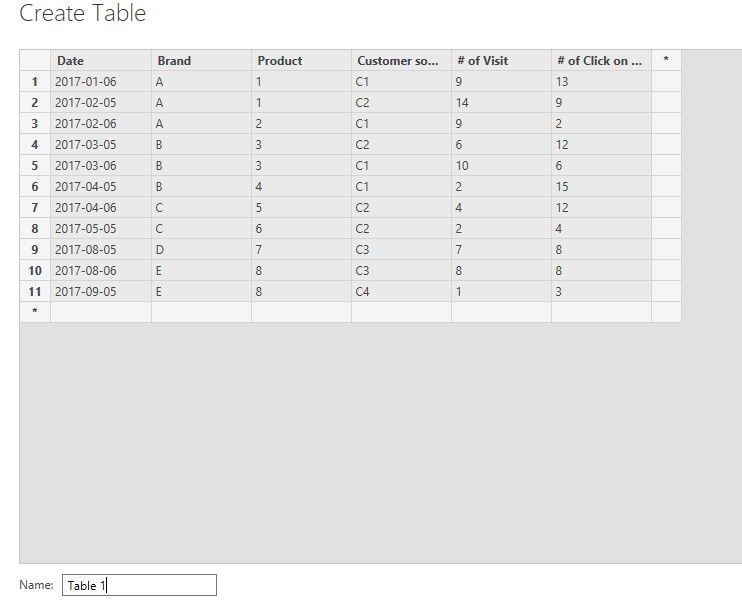
Table 1 includes:
+ Date
+ Brand
+ Product
+ Customer source
+ # of Visit
+ # of Click on ads
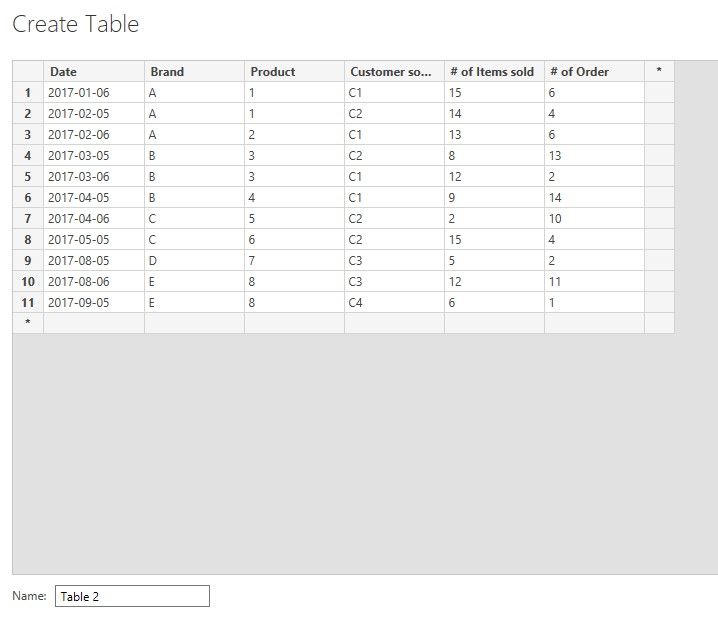
Table 2 includes:
+ Date
+ Brand
+ Product
+ Customer source
+ # of Items sold
+ # of Order
Merged table:
+ Date
+ Brand
+ Product
+ Customer source
+ # of Visit
+ # of Click on ads
+ # of Items sold
+ # of Order
Thank you in advance!
Solved! Go to Solution.
Hi @duycao ,
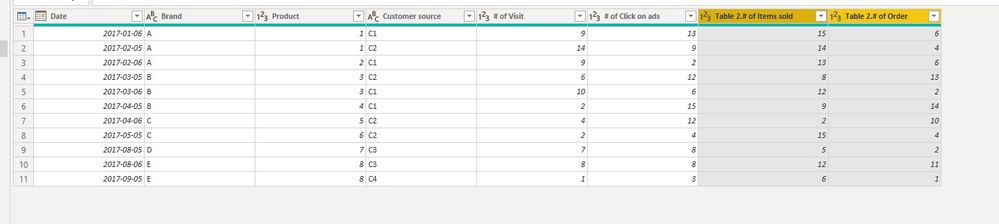
We can merge them into a new table in Power Query Editor:
1. Here is our sample data
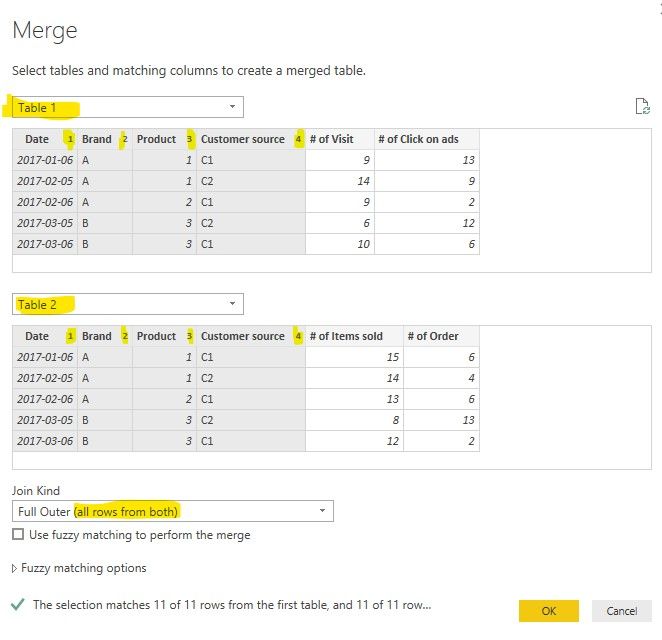
2. Merge two tables, use ctrl to click on multi matched columns
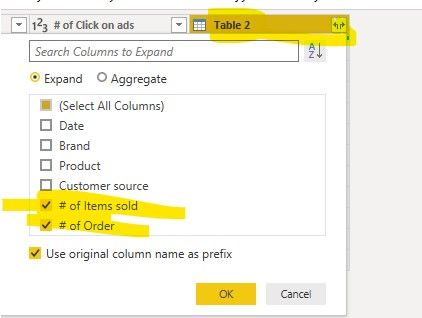
3. expand the column in table 2
Best regards,
Hi @duycao ,
We can merge them into a new table in Power Query Editor:
1. Here is our sample data
2. Merge two tables, use ctrl to click on multi matched columns
3. expand the column in table 2
Best regards,
This works perfectly. Thank you man
Hi there -
I may be able to help out here. Could you please provide a sample pbix file with the original two tables with some sample data in it? That should help me to give a starting point.
Regards
E
Check out the April 2026 Power BI update to learn about new features.
Sign up to receive a private message when registration opens and key events begin.
If you have recently started exploring Fabric, we'd love to hear how it's going. Your feedback can help with product improvements.
| User | Count |
|---|---|
| 36 | |
| 28 | |
| 28 | |
| 20 | |
| 18 |
| User | Count |
|---|---|
| 65 | |
| 35 | |
| 33 | |
| 25 | |
| 24 |